
NEWS

5 Apple Products to Get OLED Displays

08/21/2026

129

Apple plans to upgrade several iPads and Macs with OLED displays over the next three years, according to a new DigiTimes report.
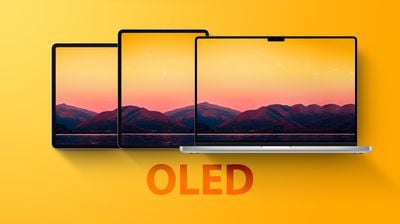
5 Apple Products to Get OLED Displays
The following five devices will receive OLED displays between 2026 and 2029, according to the Taiwanese publication's industry sources:

  • iPad mini: 2026
  • MacBook Pro: Late 2026 or early 2027
  • iPad Air: 2027
  • iMac: 2028 or 2029
  • MacBook Air: 2028 or 2029

OLED displays have better overall image quality compared to LCD displays, thanks to richer colors and higher contrast ratio with true blacks.

All current iPhone, Apple Watch, and iPad Pro models already have OLED displays.

While the iPad Pro features so-called "Tandem OLED" technology that uses two OLED panels for increased brightness, and ProMotion support for up to a 120Hz refresh rate, the report said the iPad Air will have a single-stack OLED display and an LTPS backplane, meaning it will have lower brightness and a 60Hz refresh rate. These limitations would make sense given that the iPad Air is priced hundreds of dollars less than the iPad Pro.

It is unclear if Apple ever plans to release a Studio Display XDR with an OLED display. The monitor currently has mini-LED backlighting.

The entry-level iPad and MacBook Neo are expected to stick with LCD displays.

Source: Macrumors

Windows
Mac OS
iOS
Linux
3uTools
Win 64-bit For this device
V9.08 2026-08-18
Download
Win 32-bit For this device
V9.08 2026-08-18
Download
3uTools
Intel Chip How to Identify Chip Type
V9.06 2026-08-20
Download
Apple Silicon
V9.06 2026-08-20
Download
How to Identify Chip Type
1.  Click the Apple icon in the top-left corner of the screen and select About This Mac.
2.  Check the Processor or Chip field to determine if it is "Intel" or "Apple".
Please use the 3uTools PC client to install the iOS client:
1、 Install either the Windows or Mac version of 3uTools on your computer
2、 Open the PC client and connect your device to the computer via USB cable
3、 After the connection is successful, wait for the computer to automatically install the mobile app for the device, or locate “Install Mobile App” on the computer and manually click to install.
3uTools
deb file
V9.02 2026-08-19
Download
rpm file
V9.02 2026-08-19
Download
Windows
Windows
iOS
iOS
Android
Android
TV
TV
3uAirPlayer
Win 64-bit For this device
V6.0.6 2026-06-26
Download
Win 32-bit For this device
V6.0.6 2026-06-26
Download
iOS Device Mirroring (No App Required)
1、 Install 3uAirPlayer on the Windows PC
2、 Open Control Center and select Screen Mirroring
3、 From the list, choose your PC to start mirroring
4、 Or connect your iOS device to the PC via USB to begin mirroring
Scan to get "3uAirPlayer" App
3uAirPlayerTV
 
TV System Requirements: Android 7.0 or later
Download the TV installation package, copy it to a USB drive, insert it into your TV or set-top box, then select the file from the home screen to install.




