
NEWS

Some iPhone SE 4 OLED Panels to Be Supplied by LG Display

07/31/2024

913

Apple supplier LG Display is expected to be the secondary vendor for the OLED panels that will feature on next year's fourth-generation iPhone SE models, reports The Elec.
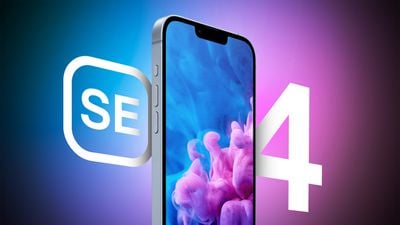
 

Some iPhone SE 4 OLED Panels to Be Supplied by LG Display


The fourth-generation ‌iPhone SE‌ is rumored to feature an iPhone 14-like design with an OLED display, Face ID instead of Touch ID, a USB-C port, an Action button, and an all-screen look that does away with the Home Button. The device's display is expected to grow in size from 4.7 inches to 6.06 inches and use OLED for the first time.


BOE will be the primary supplier of the OLED panels, with LG Display providing backup, according to today's report. In previous years, Apple has solely tasked China-based BOE to supply LCD-based iPhone SE panels. But BOE has struggled before with yield issues for OLED iPhone panels, so bringing LG Display into the picture as a secondary supplier could be Apple's way of having a security blanket in case of future problems.


The panel prices for the iPhone SE 4 are said to be a lot lower than suppliers charge for the OLED displays used in the iPhone 15, since the panels for the SE will use legacy parts identical to those used in the iPhone 13 and iPhone 14, so the suppliers won't need to make new investments in R&D. Display manufacturers are believed to have been bidding to supply the panels since at least last August. Mass production of the device will reportedly begin in October of this year, with the iPhone SE 4 expected to arrive in spring 2025.


Source: Macrumors

Windows
Mac OS
iOS
Linux
3uTools
Win 64-bit For this device
V9.0 2025-11-11
Download
Win 32-bit For this device
V9.0 2025-11-11
Download
3uTools
Intel Chip How to Identify Chip Type
V9.0 2025-12-02
Download
Apple Silicon
V9.0 2025-12-02
Download
How to Identify Chip Type
1.  Click the Apple icon in the top-left corner of the screen and select About This Mac.
2.  Check the Processor or Chip field to determine if it is "Intel" or "Apple".
Please use the 3uTools PC client to install the iOS client:
1、 Install either the Windows or Mac version of 3uTools on your computer
2、 Open the PC client and connect your device to the computer via USB cable
3、 After the connection is successful, wait for the computer to automatically install the mobile app for the device, or locate “Install Mobile App” on the computer and manually click to install.
3uTools
deb file
V3.01 2025-11-20
Download
rpm file
V3.01 2025-11-20
Download
Windows
Windows
iOS
iOS
Android
Android
TV
TV
3uAirPlayer
Win 64-bit For this device
V6.0.2 2025-11-19
Download
Win 32-bit For this device
V6.0.2 2025-11-19
Download
iOS Device Mirroring (No App Required)
1、 Install 3uAirPlayer on the Windows PC
2、 Open Control Center and select Screen Mirroring
3、 From the list, choose your PC to start mirroring
4、 Or connect your iOS device to the PC via USB to begin mirroring
Scan to get "3uAirPlayer" App
3uAirPlayer TV V1.0.18
2025-11-28
TV System Requirements: Android 7.0 or later
Download the TV installation package, copy it to a USB drive, insert it into your TV or set-top box, then select the file from the home screen to install.




