 NEWS
NEWS
Apple to Allow Independent Repair Shops to Service Out-of-Warranty iPhones With Genuine Parts
 08/30/2019
 3437
3437
Apple today announced it is launching a new Independent Repair Provider Program that will provide independent repair businesses with the same Apple genuine parts, tools, training, repair manuals, and diagnostics as Apple Authorized Service Providers, starting in the United States. 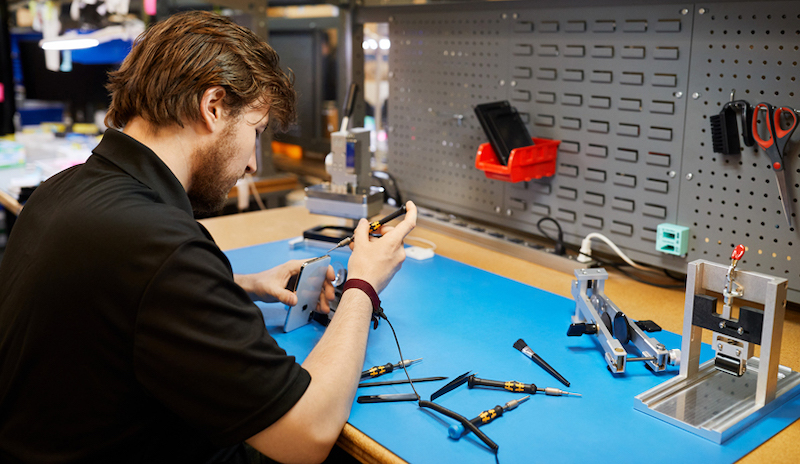
The program will only allow independent repair shops to offer out-of-warranty service for iPhones, such as display and battery replacements, with no mention of in-warranty repairs or other devices at this time. Apple has set up a new page on its website where businesses can learn more and apply.
To qualify, repair shops must be an established business with verification documents available for review by Apple, must be in a commercially zoned area, and must have an Apple-certified technician on staff to perform the out-of-warranty iPhone repairs when using genuine parts. There is no cost to join the program.
Apple also says that meeting the requirements does not guarantee acceptance into the program, and it reserves the right to reject any application without comment, so we'll have to see how flexible the company chooses to be.
Apple COO Jeff Williams: To better meet our customers' needs, we're making it easier for independent providers across the US to tap into the same resources as our Apple Authorized Service Provider network. When a repair is needed, a customer should have confidence the repair is done right. We believe the safest and most reliable repair is one handled by a trained technician using genuine parts that have been properly engineered and rigorously tested.
Over the past year, Apple says it launched a pilot with 20 independent repair businesses in North America, Europe, and Asia who are currently offering genuine parts for repairs. Apple plans to expand the program to other countries over time.
While limited to out-of-warranty iPhone repairs for now, this can certainly be viewed as a step in the right direction for Right to Repair advocates..
Source: Macrumors










