 NEWS
NEWS
Apple and Samsung Settle Seven-year Long Patent Fight Over Copying the iPhone
 06/28/2018
 3165
3165
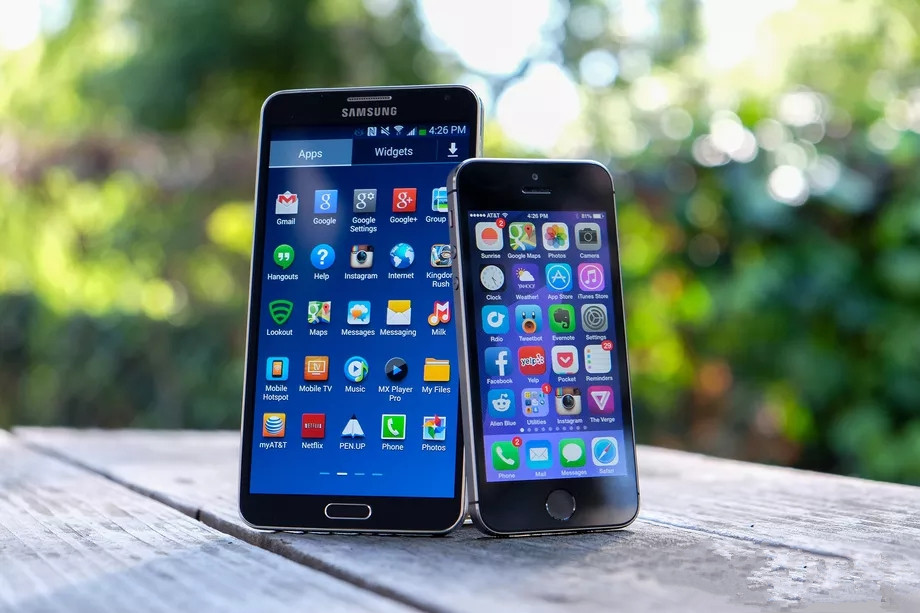
Apple and Samsung have finally put an end to their long-running patent battle whose central question was whether Samsung copied the iPhone. In a court filing today, the Judge Lucy Koh said the two companies had informed her that they had reached a settlement. Terms of the settlement were not disclosed.
The patent battle started in 2011 and initially resulted in a $1 billion ruling in Apple’s favor. But it didn’t end there. A series of appeals pushed the dispute to the Supreme Court and back, as the companies continually rehashed which patents were infringed and, more recently, exactly how much Samsung owes Apple because of the infringement.
The case revolved around a number of design and utility patents for basic functions of a smartphone, like tap to zoom and the home screen app grid. But while the fight was hashed out using specific patents, the battle was ultimately about whether Samsung copied Apple in the early days of smartphones to gain an edge. The jury decided that, in many ways, it had.
Most recently, the verdict had been whittled down to $539 million for Apple. Samsung filed to appeal that earlier this month. But the two companies were able to reach an agreement before it could be litigated again.
Apple declined to give terms of the settlement and pointed to a statement it made in May, when the case was last ruled on:
"We believe deeply in the value of design, and our teams work tirelessly to create innovative products that delight our customers. This case has always been about more than money. Apple ignited the smartphone revolution with iPhone and it is a fact that Samsung blatantly copied our design. It is important that we continue to protect the hard work and innovation of so many people at Apple."
"We’re grateful to the jury for their service and pleased they agree that Samsung should pay for copying our products."
Samsung declined to comment.
It’s not entirely clear why, after all these years, this case is finally coming to a close now. As Apple points out, money was hardly the issue here — and really, the amounts being discussed never amounted to anything substantial for either company. It’s seemed more like neither company was willing to break over the years and put an end to such a symbolically important battle. Perhaps, so many years (and some leadership changes) later, they no longer cared enough to see this through to the bitter end.
Apple and Samsung had one other major patent battle, which was first decided in 2014 but didn’t end until last year. In that case, Apple won $120 million over violations of its slide-to-unlock patent and several others. The two companies also had patent fights going internationally, but they agreed to drop those lawsuits back in 2014.
With both of these cases wrapped up, the seemingly endless, occasionally dramatic, and often extremely technical battle between these two smartphones giants is finally, officially over. At least until the next one.
Source: the verge










