 NEWS
NEWS
Apple’s Request to Ban Protestors From Some Stores Has Been Denied
 02/24/2018
 2910
2910
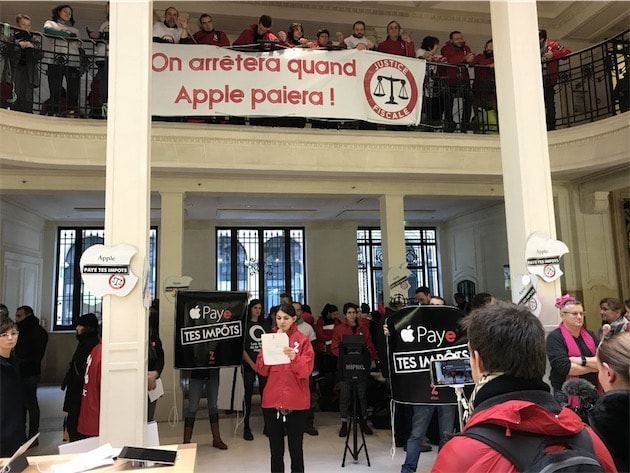
Earlier this year, it was reported that Apple was moving forward in an effort to try and block some protestors from doing their thing at, in front of, or around some Apple Stores.
Specifically, Apple was trying to block the French activist group known as “Attac”. This group has been targeting Apple for many years, and their primary goal is to bring attention to Apple’s tax habits, which they deem to be less-than-stellar. Apple’s goal was to stop Attac from protesting at their physical retail stores located in Paris.
However, that won’t be happening, as reported today by MacGeneration. The High Court of Paris officials ruled in favor of the activist group, and has officially denied Apple’s request to block their protests at Apple stores.
According to the ruling, Attac has stayed within distinct guidelines, and has stayed within the accordance set by the European Union’s Statutes of the Association. Moreover, the court also decided to place the protests a a matter of public interest. As long as Attac continues to not display any signs of violence, vandalism, and allows customers to walk in and exit the stores, then they are not breaking any rules that would get them kicked off site.
Apple, for its part, lobbied that the activist group did indeed pose a threat to Apple retail store employees and guests, and has accused Attac of vandalizing some shops.
Now that the court has ruled, Apple will be required to pay 2,000 euros to cover the legal fees racked up by Attac.
For now, it appears this particular matter has been settled.
Source: iphonehacks










