
NEWS

Apple Posts Job Listings for What May be its First Full Retail Store in Thailand

09/28/2017

6670

Apple has posted ads for all the usual retail store positions in Bangkok, the capital of Thailand. This could indicate plans for the company’s first full retail store in the country.
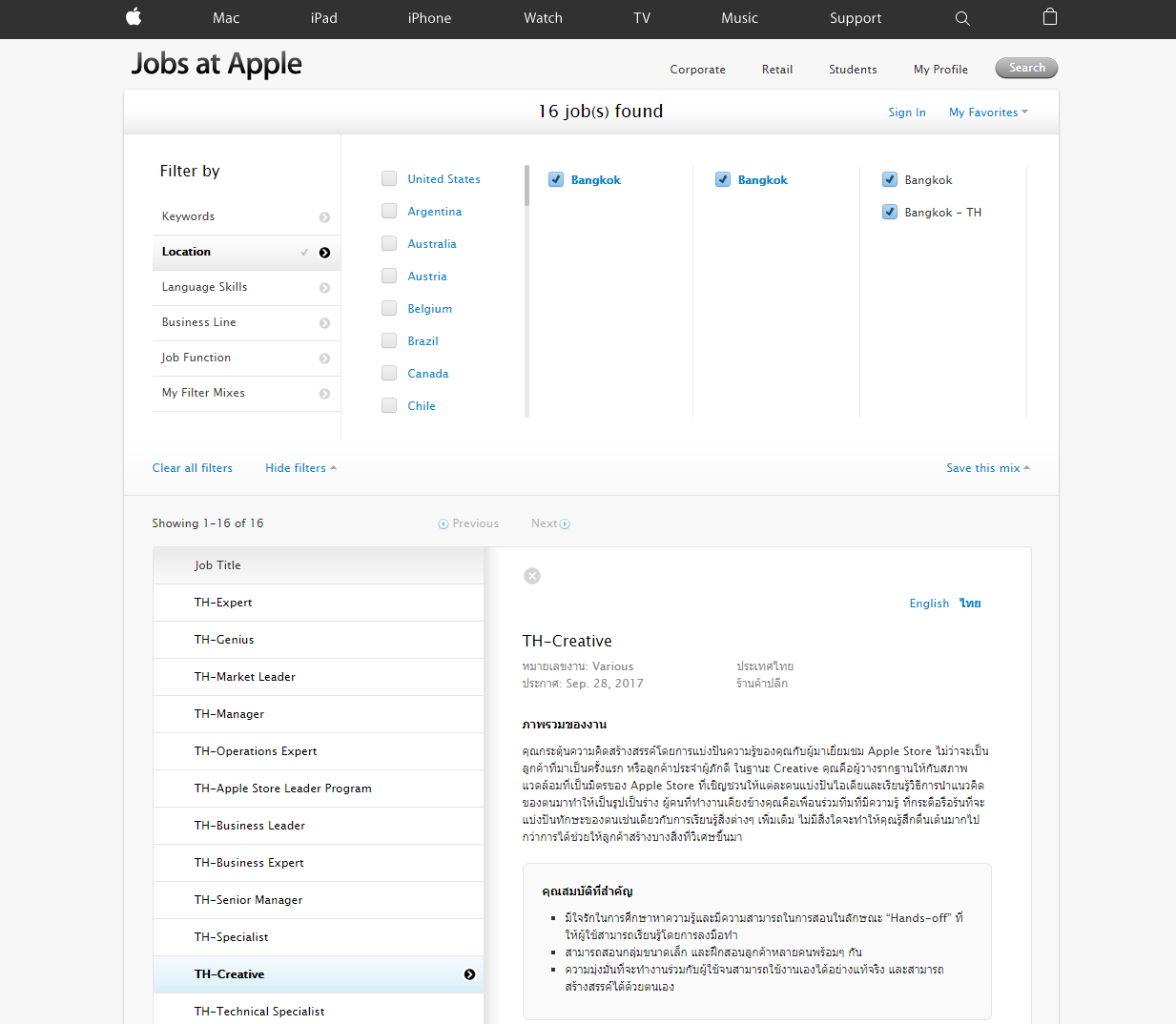

Apple Posts Job Listings for What May be its First Full Retail Store in Thailand


Apple mostly relies on a network of authorized resellers in Bangkok. It currently has almost 100 of these, dotted around the capital …

 

Apple Posts Job Listings for What May be its First Full Retail Store in Thailand


While the job listings are for all the current positions found in an Apple store, this doesn’t amount to definitive evidence. In addition to its reseller network, Apple also has a number of store-within-a-store setups within larger retailers in the city. They are staffed by Apple employees, so it’s possible that the roles are for these.


The reason for caution is that recruitment of retail staff usually begins relatively late in the process, so we generally hear reports of a planned new store – including likely locations – before this stage. The absence of these does make us wonder whether these ads may not be what they seem.


All the same, Bangkok would be a credible location for an Apple Store. The capital has a population of more than 8 million people, and is home to many multinational companies. The sheer number of resellers and store-within-a-store setups too is testament to demand for Apple products in the city.


Source: 9to5mac

Windows
Mac OS
iOS
Linux
3uTools
Win 64-bit For this device
V9.0 2025-11-11
Download
Win 32-bit For this device
V9.0 2025-11-11
Download
3uTools
Intel Chip How to Identify Chip Type
V9.0 2025-12-02
Download
Apple Chip
V9.0 2025-12-02
Download
How to Identify Chip Type
1.  Click the Apple icon in the top-left corner of the screen and select About This Mac.
2.  Check the Processor or Chip field to determine if it is "Intel" or "Apple".
Please use the 3uTools PC client to install the iOS client:
1、 Install either the Windows or Mac version of 3uTools on your computer
2、 Open the PC client and connect your device to the computer via USB cable
3、 After the connection is successful, wait for the computer to automatically install the mobile app for the device, or locate “Install Mobile App” on the computer and manually click to install.
3uTools
deb file
V3.01 2025-11-20
Download
rpm file
V3.01 2025-11-20
Download
Windows
Windows
iOS
iOS
Android
Android
TV
TV
3uAirPlayer
Win 64-bit For this device
V6.0.2 2025-11-19
Download
Win 32-bit For this device
V6.0.2 2025-11-19
Download
iOS Device Mirroring (No App Required)
1、 Install 3uAirPlayer on the Windows PC
2、 Open Control Center and select Screen Mirroring
3、 From the list, choose your PC to start mirroring
4、 Or connect your iOS device to the PC via USB to begin mirroring
Scan to get "3uAirPlayer" App
3uAirPlayer TV V1.0.18
2025-11-28
TV System Requirements: Android 7.0 or later
Download the TV installation package, copy it to a USB drive, insert it into your TV or set-top box, then select the file from the home screen to install.




