
NEWS

Supplier Says Apple's iPhone X Production Cut isn't as Big as Recently Reported

01/31/2018

2604

A report on Monday sent Apple's stock down by 1.6% after revealing that Apple has purportedly cut iPhone X orders by 20 million for the current quarter, or half of the initial estimates. Apple, the same report said, would make 30 million non-iPhone X handsets during the period, including the iPhone 8, a number that hasn't changed.


A day later, one of Apple's iPhone X suppliers went on record to say the order cuts aren't "that great.”
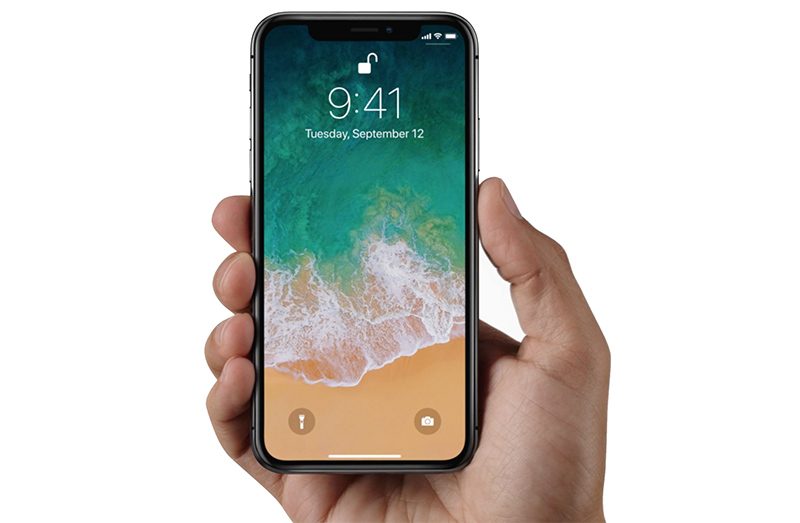


Supplier Says Apple's iPhone X Production Cut isn't as Big as Recently Reported


"Our understanding is that it is not that great,” Murata vice chairman Yoshitaka Fujita said when asked about the report Nikkei ran on Monday.


It's surprising to see a supplier go on record about its dealings with Apple. But that's all Fujita had to say on the matter, according to Reuters. The exec did not reveal any other details about Murata's dealings with Apple for the iPhone X


Murata is one of the two makers of flexible printed circuit boards (FPCB) for the iPhone X, and a report in mid-October said the Japanese company was dealing with certain yield issues that may have contributed to the iPhone X’s delay. Ming-Chi Kuo’s report at the time said Murata was replaced by Career, the second supplier for antenna FPCB, as Murata would not be able to solve its issues earlier than the second quarter of 2018.


That said, Fujita did confirm what many other reports have been saying for a few weeks now. Apple is indeed reducing iPhone X orders for the current quarter.


Source: bgr

Windows
Mac OS
iOS
Linux
3uTools
Win 64-bit For this device
V9.01 2025-12-27
Download
Win 32-bit For this device
V9.01 2025-12-27
Download
3uTools
Intel Chip How to Identify Chip Type
V9.01 2025-12-31
Download
Apple Silicon
V9.01 2025-12-31
Download
How to Identify Chip Type
1.  Click the Apple icon in the top-left corner of the screen and select About This Mac.
2.  Check the Processor or Chip field to determine if it is "Intel" or "Apple".
Please use the 3uTools PC client to install the iOS client:
1、 Install either the Windows or Mac version of 3uTools on your computer
2、 Open the PC client and connect your device to the computer via USB cable
3、 After the connection is successful, wait for the computer to automatically install the mobile app for the device, or locate “Install Mobile App” on the computer and manually click to install.
3uTools
deb file
V3.01 2025-11-20
Download
rpm file
V3.01 2025-11-20
Download
Windows
Windows
iOS
iOS
Android
Android
TV
TV
3uAirPlayer
Win 64-bit For this device
V6.0.2 2025-11-19
Download
Win 32-bit For this device
V6.0.2 2025-11-19
Download
iOS Device Mirroring (No App Required)
1、 Install 3uAirPlayer on the Windows PC
2、 Open Control Center and select Screen Mirroring
3、 From the list, choose your PC to start mirroring
4、 Or connect your iOS device to the PC via USB to begin mirroring
Scan to get "3uAirPlayer" App
3uAirPlayer TV V1.0.18
2025-11-28
TV System Requirements: Android 7.0 or later
Download the TV installation package, copy it to a USB drive, insert it into your TV or set-top box, then select the file from the home screen to install.




