
NEWS

Apple Is Finally Selling Its Own Thunderbolt 3 USB-C Cables

12/18/2017

2601

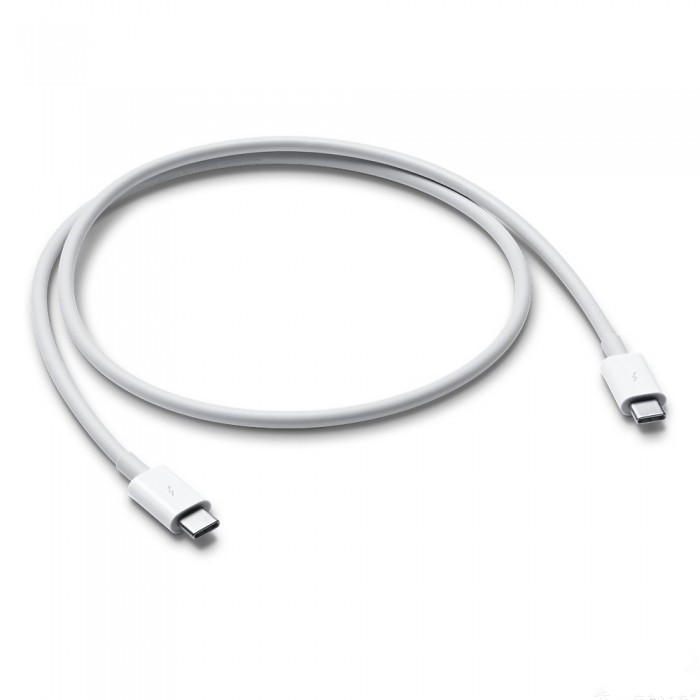
Apple is finally selling its own Thunderbolt 3 USB-C cables in the Apple Store. The company introduced MacBook Pro models that exclusively used USB-C over a year ago, with support for the faster Thunderbolt 3 data transfer standard. But when Apple released all of its USB-C dongles and accessories with the MacBooks, one thing was conspicuously missing: an actual Apple Thunderbolt 3 cable.


Apple makes USB-C to USB-C cables already, but those only transfer data at USB 2.0 speeds and are generally meant more for charging than data. So customers have been stuck with third-party cables for Thunderbolt 3, like the $29.99 Belkin one that Apple has stocked for the last year-plus.

Apple Is Finally Selling Its Own Thunderbolt 3 USB-C Cables


But now, Apple finally makes its own Thunderbolt 3 cable. It’s a 0.8-meter (2.62-foot) USB-C to USB-C cable, and it can transfer data at up to 40 Gbps while charging at up to 100W. It costs $39, or twice what Apple’s two-meter-long cable that it includes with its laptops goes for.


Why Apple didn’t just include Thunderbolt 3 cables from the start instead of making two virtually identical-looking cables with vastly different data transfer capabilities — and why it isn’t including the new cable with MacBook Pro purchases going forward — is more unclear. Still, if you’ve been looking for an official Apple option, now you have one.


Source: theverge


Windows
Mac OS
iOS
Linux
3uTools
Win 64-bit For this device
V9.01 2025-12-27
Download
Win 32-bit For this device
V9.01 2025-12-27
Download
3uTools
Intel Chip How to Identify Chip Type
V9.01 2025-12-31
Download
Apple Silicon
V9.01 2025-12-31
Download
How to Identify Chip Type
1.  Click the Apple icon in the top-left corner of the screen and select About This Mac.
2.  Check the Processor or Chip field to determine if it is "Intel" or "Apple".
Please use the 3uTools PC client to install the iOS client:
1、 Install either the Windows or Mac version of 3uTools on your computer
2、 Open the PC client and connect your device to the computer via USB cable
3、 After the connection is successful, wait for the computer to automatically install the mobile app for the device, or locate “Install Mobile App” on the computer and manually click to install.
3uTools
deb file
V3.01 2025-11-20
Download
rpm file
V3.01 2025-11-20
Download
Windows
Windows
iOS
iOS
Android
Android
TV
TV
3uAirPlayer
Win 64-bit For this device
V6.0.2 2025-11-19
Download
Win 32-bit For this device
V6.0.2 2025-11-19
Download
iOS Device Mirroring (No App Required)
1、 Install 3uAirPlayer on the Windows PC
2、 Open Control Center and select Screen Mirroring
3、 From the list, choose your PC to start mirroring
4、 Or connect your iOS device to the PC via USB to begin mirroring
Scan to get "3uAirPlayer" App
3uAirPlayer TV V1.0.18
2025-11-28
TV System Requirements: Android 7.0 or later
Download the TV installation package, copy it to a USB drive, insert it into your TV or set-top box, then select the file from the home screen to install.




