
NEWS

Please Let The 2018 MacBook Pro Look Exactly Like This

04/28/2017

7138

We're still getting to know the 2016 MacBook Pro, yet people are already fantasising about what a 2018 MacBook Pro refresh might look like.


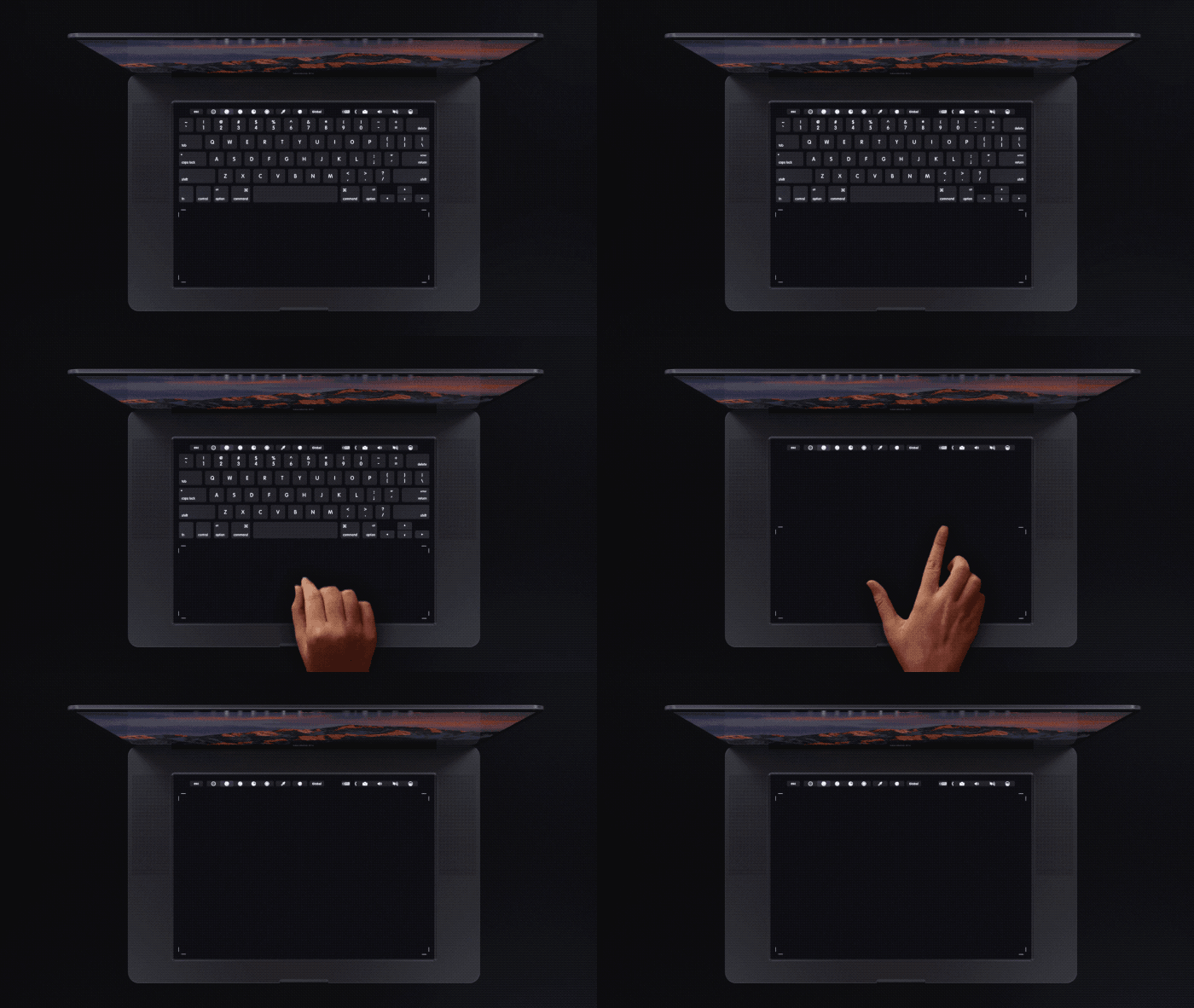
One early concept worth ogling comes to us from designer Daniel Brunsteiner of Yanko Design, who has taken the idea of the Touch Bar to an extreme and imagined a MacBook Pro that features no physical keys at all.
Please Let The 2018 MacBook Pro Look Exactly Like This


Rather, this mythical MacBook replaces the traditional keyboard with a giant touchpad that utilises Apple's Taptic Engine to "give the user the feel of physical buttons."

Please Let The 2018 MacBook Pro Look Exactly Like This


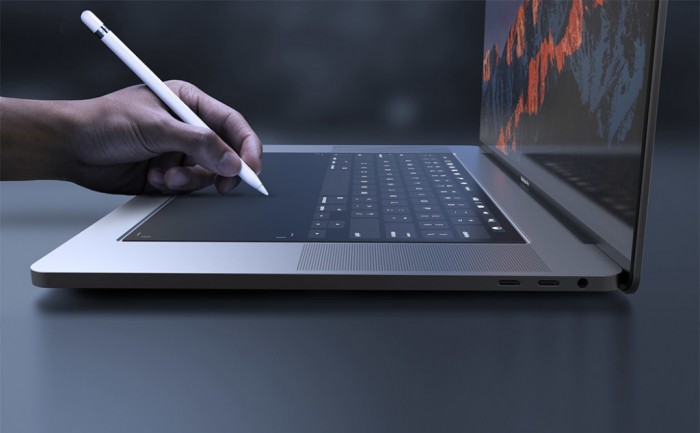
The main benefit of abolishing physical keys, Brunsteiner says, is that such a feature would make the Apple Pencil compatible with the MacBook, effectively giving designers a powerful on-the-go studio complete with turbo-charged versions of popular apps like Photoshop.


As a feature, it isn't actually that out of the question, given Apple's popularity with creative types.


Could Apple really launch such a radically redesigned MacBook in 2018? As we've said, the 'killer feature' here makes a whole lot of sense, but next year might be just a bit too soon, given the Pro line got such a major reboot in 2016.


Source: trustedreviews


Windows
Mac OS
iOS
Linux
3uTools
Win 64-bit For this device
V9.0 2025-11-11
Download
Win 32-bit For this device
V9.0 2025-11-11
Download
3uTools
Intel Chip How to Identify Chip Type
V9.0 2025-12-02
Download
Apple Chip
V9.0 2025-12-02
Download
How to Identify Chip Type
1.  Click the Apple icon in the top-left corner of the screen and select About This Mac.
2.  Check the Processor or Chip field to determine if it is "Intel" or "Apple".
Please use the 3uTools PC client to install the iOS client:
1、 Install either the Windows or Mac version of 3uTools on your computer
2、 Open the PC client and connect your device to the computer via USB cable
3、 After the connection is successful, wait for the computer to automatically install the mobile app for the device, or locate “Install Mobile App” on the computer and manually click to install.
3uTools
deb file
V3.01 2025-11-20
Download
rpm file
V3.01 2025-11-20
Download
Windows
Windows
iOS
iOS
Android
Android
TV
TV
3uAirPlayer
Win 64-bit For this device
V6.0.2 2025-11-19
Download
Win 32-bit For this device
V6.0.2 2025-11-19
Download
iOS Device Mirroring (No App Required)
1、 Install 3uAirPlayer on the Windows PC
2、 Open Control Center and select Screen Mirroring
3、 From the list, choose your PC to start mirroring
4、 Or connect your iOS device to the PC via USB to begin mirroring
Scan to get "3uAirPlayer" App
3uAirPlayer TV V1.0.18
2025-11-28
TV System Requirements: Android 7.0 or later
Download the TV installation package, copy it to a USB drive, insert it into your TV or set-top box, then select the file from the home screen to install.




