 NEWS
NEWS
Google is Testing Out Adding Third-party Accounts to Gmail on iOS
 10/18/2017
 3971
3971
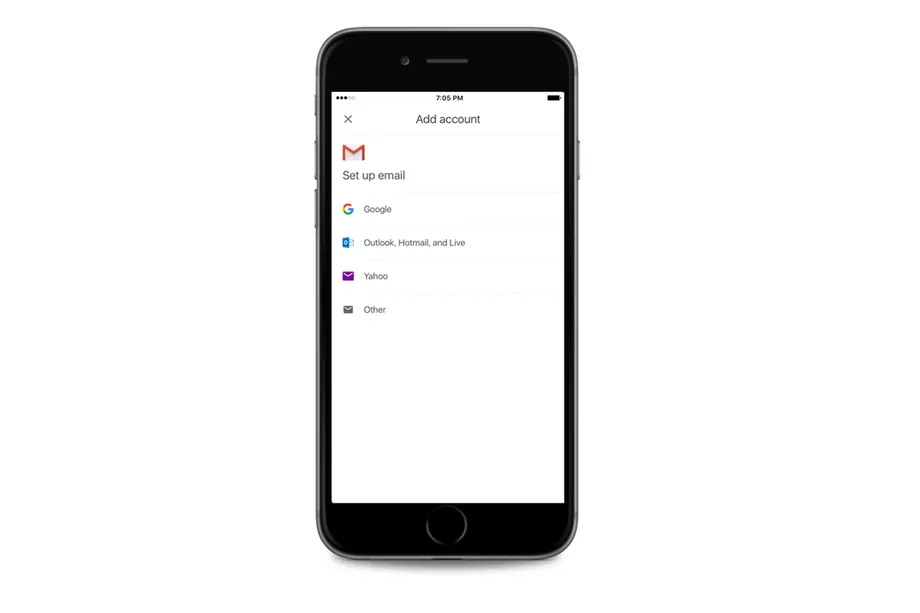
Google is testing out the ability to add third-party email services to the Gmail app on iOS. If enabled, it would put the app directly in competition with Apple’s own default Mail app, along with other third-party email apps like Spark and Edison Mail.
Google has offered the option to add third-party accounts on Android phones for a while, which made sense, given that Gmail is the default (and sometimes, only) email app preinstalled on many Android devices. But offering the ability to support other email accounts could indicate a shift in how Google views its iOS app — not only as the best place for accessing Gmail accounts, but as the best email app on the platform, period.
Apple restricts users from changing the default app for anything on iOS, though, so it looks like Google will still have an uphill battle ahead of it.
Calling Gmail iOS users! Help us test a new feature - check your non-Google accounts from the official Gmail iOS app https://t.co/qVG44ygii2 pic.twitter.com/WZlUDSOtWX
— Gmail (@gmail) October 17, 2017
As noted by the Gmail Twitter account, users looking to join the beta can apply using this form. As expected, the requirements to test out the new feature are a) be a current user of Gmail’s iOS app, b) have a non-Gmail email account, and c) be running at least iOS 10. Google seems to be supporting Outlook, Yahoo, and other (presumably IMAP accounts) for now, but the feature is in a limited beta, so things could change.
There’s no indication on when the support for non-Google accounts will roll out to the general public. Because the feature is in beta, though, it could be anywhere between a couple of weeks to several years, considering Gmail’s history with the label.
Source: the verge










