NEWS

Apple Shows off Dubai Store with Massive 186-foot Curved Glass Facade

04/26/2017

3717

Apple Shows off Dubai Store with Massive 186-foot Curved Glass Facade


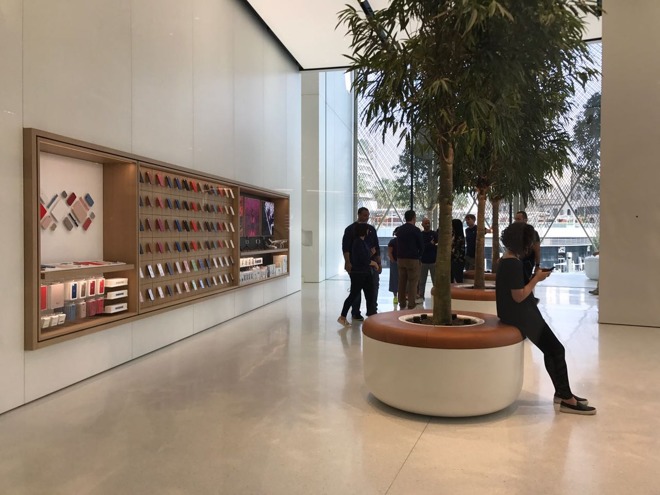
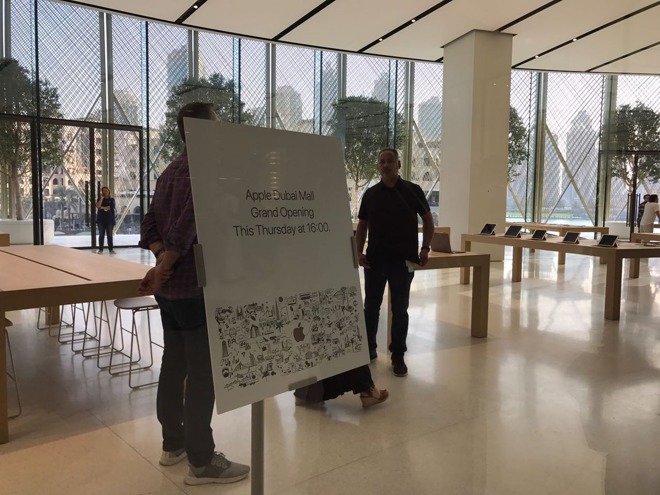
In a press release, the company said it views its new Apple Dubai Mall store as a community gathering space. It will serve as a venue to watch evening fountain shows, and to host the newly announced Today at Apple retail sessions.

Designed by Foster + Partners, the store includes 18 "Solar Wings" each 37.5 feet high, which dynamically respond to weather conditions in the United Arab Emirates. The wings will shield the sun on hot days, and open in the evenings.

Apple Shows off Dubai Store with Massive 186-foot Curved Glass Facade


The wings were inspired by the traditional Arabic Mashrabiya, and are each locally fabricated from 340 carbon fiber reinforced polymer rods. Totaling 180 feet wide, Apple said the panels are one of the world's largest kinectic art installations.

The new Dubai Mall store will be Apple's third in the UAE, joining existing locations in Dubai and Abu Dhabi. Apple says more than 4 million visitors have set foot in its two local stores since the 
first opened 18 months ago.

"We view our stores as a modern-day town square, where visitors come to shop, be inspired, learn or connect with others in their community," said Angela Ahrendts, Apple's senior vice president of retail. "And what better place to come together than overlooking Dubai's epicenter, where the Dubai Fountain, Burj Khalifa and Dubai Mall meet. We are so honored to have a home at one of the world's most incredible and dynamic intersections."


Source: apple insider

Windows
Mac OS
iOS
Linux
3uTools
Win 64-bit For this device
V9.0 2025-11-11
Download
Win 32-bit For this device
V9.0 2025-11-11
Download
3uTools
Intel Chip How to Identify Chip Type
V9.0 2025-12-02
Download
Apple Silicon
V9.0 2025-12-02
Download
How to Identify Chip Type
1.  Click the Apple icon in the top-left corner of the screen and select About This Mac.
2.  Check the Processor or Chip field to determine if it is "Intel" or "Apple".
Please use the 3uTools PC client to install the iOS client:
1、 Install either the Windows or Mac version of 3uTools on your computer
2、 Open the PC client and connect your device to the computer via USB cable
3、 After the connection is successful, wait for the computer to automatically install the mobile app for the device, or locate “Install Mobile App” on the computer and manually click to install.
3uTools
deb file
V3.01 2025-11-20
Download
rpm file
V3.01 2025-11-20
Download
Windows
Windows
iOS
iOS
Android
Android
TV
TV
3uAirPlayer
Win 64-bit For this device
V6.0.2 2025-11-19
Download
Win 32-bit For this device
V6.0.2 2025-11-19
Download
iOS Device Mirroring (No App Required)
1、 Install 3uAirPlayer on the Windows PC
2、 Open Control Center and select Screen Mirroring
3、 From the list, choose your PC to start mirroring
4、 Or connect your iOS device to the PC via USB to begin mirroring
Scan to get "3uAirPlayer" App
3uAirPlayer TV V1.0.18
2025-11-28
TV System Requirements: Android 7.0 or later
Download the TV installation package, copy it to a USB drive, insert it into your TV or set-top box, then select the file from the home screen to install.