
NEWS

iPhone 8, A New Concept Of Past And Future

04/06/2017

3144

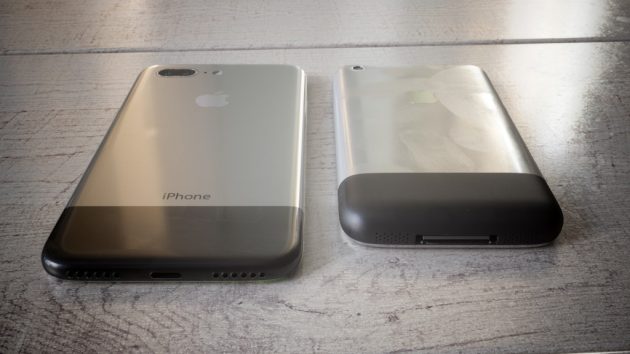
Among the many rumors that partakes in the iPhone 8 there are also those most nostalgic, which speak of a new Apple smartphone tenth anniversary of which will have a similar design to the first iPhone came out in 2007. The designer Martin Hajek has quickly cue from this and the other rumors leaked in recent weeks to make a fantastic concept.

iPhone 8, A New Concept Of Past And Future


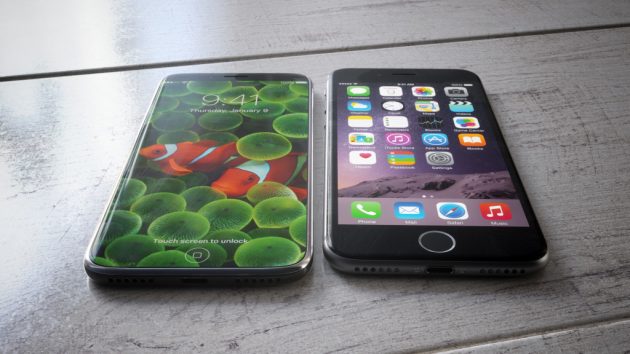
Hakej imagines a new iPhone with OLED display that covers the entire front part of the device. Below, there is a functional area where the user can use the virtual Home button and other specific keys that change depending on the app open.

iPhone 8, A New Concept Of Past And Future


Even the Touch ID is embedded below the screen.

iPhone 8, A New Concept Of Past And Future


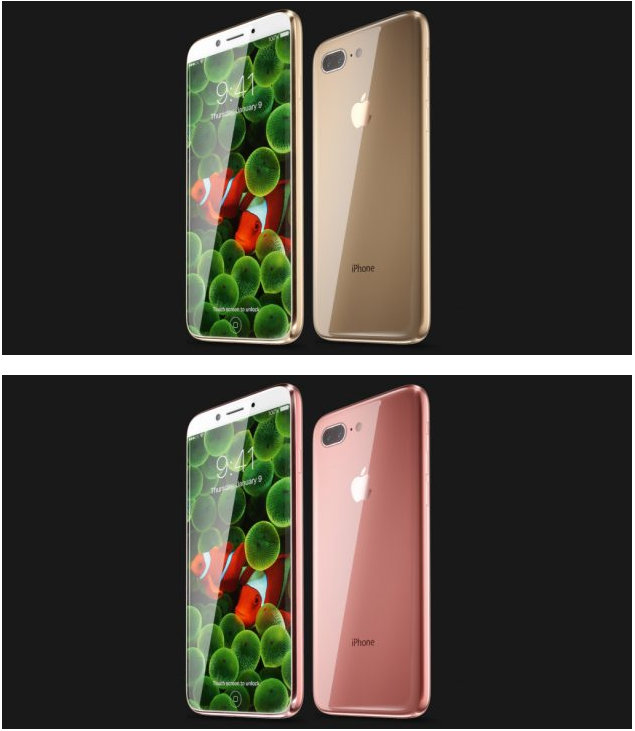
The sides of the device are made of stainless steel, while the rear part is made of glass also to favor the wireless charging. Among the various colors available, Hakej imagine even a special version with backside aluminum and design reminiscent of the first iPhone.


What do you think?


Source: iPhoneitalia


Windows
Mac OS
iOS
Linux
3uTools
Win 64-bit For this device
V9.0 2025-11-11
Download
Win 32-bit For this device
V9.0 2025-11-11
Download
3uTools
Intel Chip How to Identify Chip Type
V9.0 2025-12-02
Download
Apple Silicon
V9.0 2025-12-02
Download
How to Identify Chip Type
1.  Click the Apple icon in the top-left corner of the screen and select About This Mac.
2.  Check the Processor or Chip field to determine if it is "Intel" or "Apple".
Please use the 3uTools PC client to install the iOS client:
1、 Install either the Windows or Mac version of 3uTools on your computer
2、 Open the PC client and connect your device to the computer via USB cable
3、 After the connection is successful, wait for the computer to automatically install the mobile app for the device, or locate “Install Mobile App” on the computer and manually click to install.
3uTools
deb file
V3.01 2025-11-20
Download
rpm file
V3.01 2025-11-20
Download
Windows
Windows
iOS
iOS
Android
Android
TV
TV
3uAirPlayer
Win 64-bit For this device
V6.0.2 2025-11-19
Download
Win 32-bit For this device
V6.0.2 2025-11-19
Download
iOS Device Mirroring (No App Required)
1、 Install 3uAirPlayer on the Windows PC
2、 Open Control Center and select Screen Mirroring
3、 From the list, choose your PC to start mirroring
4、 Or connect your iOS device to the PC via USB to begin mirroring
Scan to get "3uAirPlayer" App
3uAirPlayer TV V1.0.18
2025-11-28
TV System Requirements: Android 7.0 or later
Download the TV installation package, copy it to a USB drive, insert it into your TV or set-top box, then select the file from the home screen to install.




