
NEWS

Apple’s Online Store To Go Down Tomorrow, New Products Imminent?

03/21/2017

3894

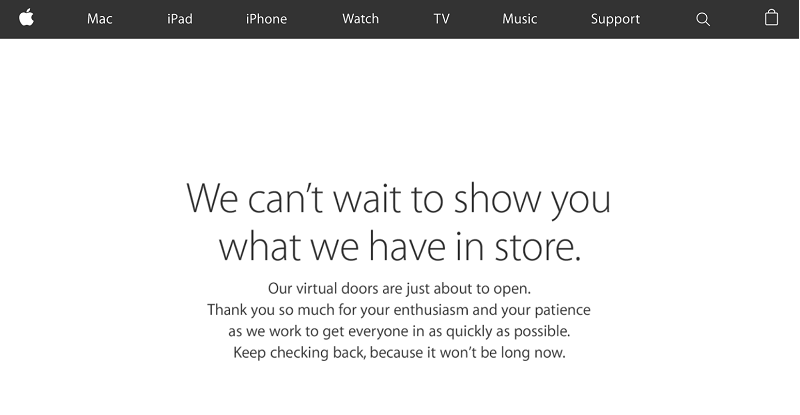
Apple has announced that their online store will be down tomorrow morning, hinting the launch of new products.


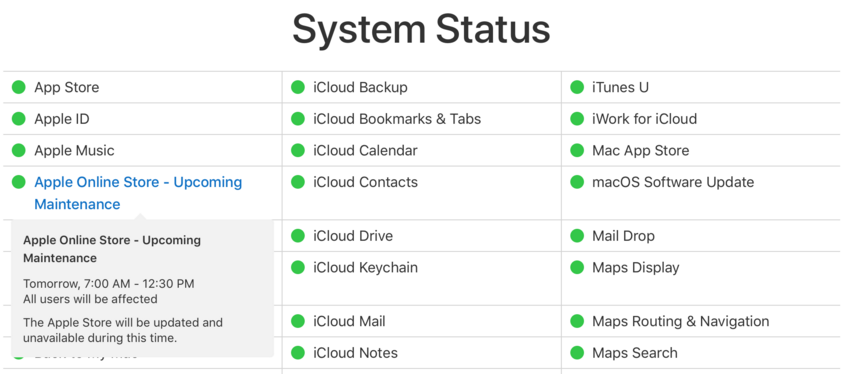
Apple has updated their System Status page to show that their online store will be “updated and unavailable” due to “maintenance” tomorrow between 07:00am and 12:30pm (GMT) hinting that the rumours of new iPad hardware launching this week are true.

Apple’s Online Store To Go Down Tomorrow, New Products Imminent?


While the “maintenance” doesn’t set in stone that new products will be launching in less than 24 hours, given the amount of reports pinpointing tomorrow as the day the company updates their iPad lineup, it’s unlikely that the timing of the “maintenance” is a coincidence.


Recent reports have suggested that while Apple is preparing an all new 10.5-inch iPad model to launch in April, tomorrows launch will be fore their ‘iPad Pro 2' range which will bring mainly internal enhancements and build from the success of the current iPad hardware. Apple is said to be updating the tablets with their A10X processor, which will allow for improved speed and graphics performance, a step up from the A10 processor found in the iPhone 7 and iPhone 7 Plus.

Apple’s Online Store To Go Down Tomorrow, New Products Imminent?


Currently, Apple’s 9.7-inch iPad Pro is somewhat ahead of the original 12.9-inch model, with the smaller tablet packing an 12MP rear camera while the larger 12.9-inch device only has a 8MP camera as well as differences between the front facing camera and the lack of an LED flash on the rear. The update to Apple’s iPad Pro line is expected to unify the two devices, making them both equal apart from their obvious display size difference.


Source: theapplepost


Windows
Mac OS
iOS
Linux
3uTools
Win 64-bit For this device
V9.0 2025-11-11
Download
Win 32-bit For this device
V9.0 2025-11-11
Download
3uTools
Intel Chip How to Identify Chip Type
V9.0 2025-12-02
Download
Apple Silicon
V9.0 2025-12-02
Download
How to Identify Chip Type
1.  Click the Apple icon in the top-left corner of the screen and select About This Mac.
2.  Check the Processor or Chip field to determine if it is "Intel" or "Apple".
Please use the 3uTools PC client to install the iOS client:
1、 Install either the Windows or Mac version of 3uTools on your computer
2、 Open the PC client and connect your device to the computer via USB cable
3、 After the connection is successful, wait for the computer to automatically install the mobile app for the device, or locate “Install Mobile App” on the computer and manually click to install.
3uTools
deb file
V3.01 2025-11-20
Download
rpm file
V3.01 2025-11-20
Download
Windows
Windows
iOS
iOS
Android
Android
TV
TV
3uAirPlayer
Win 64-bit For this device
V6.0.2 2025-11-19
Download
Win 32-bit For this device
V6.0.2 2025-11-19
Download
iOS Device Mirroring (No App Required)
1、 Install 3uAirPlayer on the Windows PC
2、 Open Control Center and select Screen Mirroring
3、 From the list, choose your PC to start mirroring
4、 Or connect your iOS device to the PC via USB to begin mirroring
Scan to get "3uAirPlayer" App
3uAirPlayer TV V1.0.18
2025-11-28
TV System Requirements: Android 7.0 or later
Download the TV installation package, copy it to a USB drive, insert it into your TV or set-top box, then select the file from the home screen to install.




