NEWS

iOS 27.3 Adds a New Siri AI Feature to Safari: Ask About Page

11/17/2026

180
iOS 27.3 Adds a New Siri AI Feature to Safari: Ask About Page


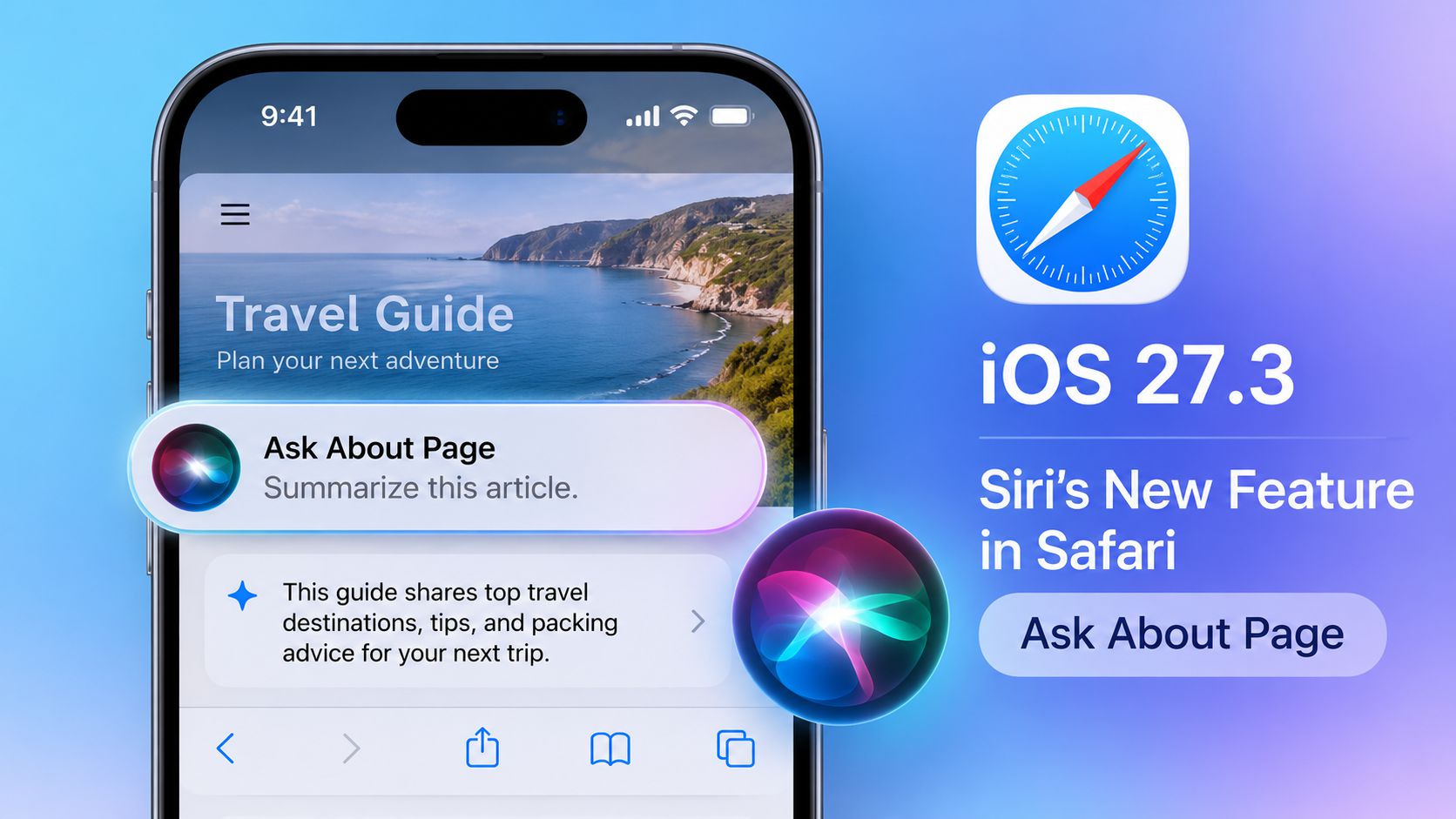
Apple is expanding Siri's AI capabilities in iOS 27.3 with a new Safari feature called Ask About Page. Introduced in the second developer beta, it allows Siri to analyze entire webpages and answer questions based on their content.


Unlike previous on-screen intelligence features, Ask About Page can access information beyond what is currently visible, including sections further down a webpage.


Users can ask Siri to summarize long articles, find specific details, or extract useful information. For example, Siri can identify gluten-free dishes from a restaurant's online menu or create a packing list based on a travel guide.


The feature is part of Apple's broader effort to integrate AI more deeply into Siri and its built-in apps. Apple is also expanding Siri's ability to perform actions across apps such as Mail, Files, Maps, Notes, and Safari.


3uTools's View


Ask About Page makes Siri more useful for everyday browsing by turning webpages into interactive sources of information. As Apple continues expanding its AI capabilities, Siri could become a more practical assistant for finding information and completing tasks on iPhone.


Source: MacRumors
Windows
Mac OS
iOS
Linux
3uTools
Win 64-bit For this device
V9.13 2026-11-03
Download
Win 32-bit For this device
V9.13 2026-11-03
Download
3uTools
Intel Chip How to Identify Chip Type
V9.08 2026-11-16
Download
Apple Silicon
V9.08 2026-11-16
Download
How to Identify Chip Type
1.  Click the Apple icon in the top-left corner of the screen and select About This Mac.
2.  Check the Processor or Chip field to determine if it is "Intel" or "Apple".
Please use the 3uTools PC client to install the iOS client:
1、 Install either the Windows or Mac version of 3uTools on your computer
2、 Open the PC client and connect your device to the computer via USB cable
3、 After the connection is successful, wait for the computer to automatically install the mobile app for the device, or locate “Install Mobile App” on the computer and manually click to install.
3uTools
deb file
V9.03 2026-10-09
Download
rpm file
V9.03 2026-10-09
Download
Windows
Windows
iOS
iOS
Android
Android
TV
TV
3uAirPlayer
Win 64-bit For this device
V6.0.7 2026-08-25
Download
Win 32-bit For this device
V6.0.7 2026-08-25
Download
Scan to get "3uAirPlayer" App
Requires iOS 15.0 or later
Scan to get "3uAirPlayer" App
Requires Android 7.0 and up
3uAirPlayerTV
 
TV System Requirements: Android 7.0 or later
Download the TV installation package, copy it to a USB drive, insert it into your TV or set-top box, then select the file from the home screen to install.