NEWS

Apple Planning to Unveil Privacy-Focused Smart Glasses at WWDC 2027

07/27/2026

84

 Apple Planning to Unveil Privacy-Focused Smart Glasses at WWDC 2027


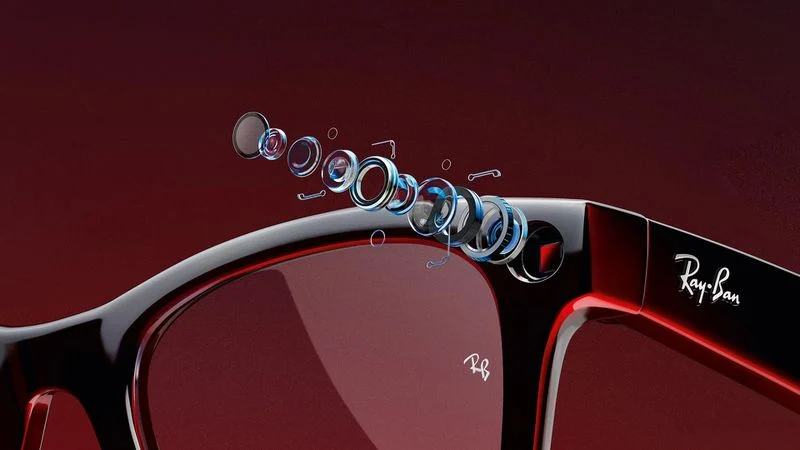
Apple currently plans to unveil its first smart glasses at WWDC 2027 next June, and privacy will be a focus, according to Bloomberg's Mark Gurman.


For the glasses, Apple is prototyping "a slew of new hardware and software-related privacy features" that are not available on current products, he said. He did not mention any specific features, but he noted that Apple's marketing will likely emphasize the privacy measures of its glasses compared to rival products like the Meta Ray-Bans.


In a world where some people are wary of being secretly recorded by camera-equipped glasses, Gurman said Apple has considered releasing smart glasses with cameras that assist with AI features, but lack photo and video recording capabilities. In fact, he said Apple has even prototyped smart glasses without a camera system entirely.


Still, the most likely outcome is that Apple's glasses will have cameras, but with the sort of privacy protections that the company is known for.


Like the Meta Ray-Bans, Apple's glasses would also have speakers and microphones for music, phone calls, and notifications announced by Siri.


Apple apparently aims to begin shipping the glasses to customers in late 2027.


Source: Macrumors

Windows
Mac OS
iOS
Linux
3uTools
Win 64-bit For this device
V9.07 2026-07-17
Download
Win 32-bit For this device
V9.07 2026-07-17
Download
3uTools
Intel Chip How to Identify Chip Type
V9.05 2026-07-25
Download
Apple Silicon
V9.05 2026-07-25
Download
How to Identify Chip Type
1.  Click the Apple icon in the top-left corner of the screen and select About This Mac.
2.  Check the Processor or Chip field to determine if it is "Intel" or "Apple".
Please use the 3uTools PC client to install the iOS client:
1、 Install either the Windows or Mac version of 3uTools on your computer
2、 Open the PC client and connect your device to the computer via USB cable
3、 After the connection is successful, wait for the computer to automatically install the mobile app for the device, or locate “Install Mobile App” on the computer and manually click to install.
3uTools
deb file
V9.01 2026-05-28
Download
rpm file
V9.01 2026-05-28
Download
Windows
Windows
iOS
iOS
Android
Android
TV
TV
3uAirPlayer
Win 64-bit For this device
V6.0.6 2026-06-26
Download
Win 32-bit For this device
V6.0.6 2026-06-26
Download
iOS Device Mirroring (No App Required)
1、 Install 3uAirPlayer on the Windows PC
2、 Open Control Center and select Screen Mirroring
3、 From the list, choose your PC to start mirroring
4、 Or connect your iOS device to the PC via USB to begin mirroring
Scan to get "3uAirPlayer" App
3uAirPlayerTV
 
TV System Requirements: Android 7.0 or later
Download the TV installation package, copy it to a USB drive, insert it into your TV or set-top box, then select the file from the home screen to install.