 NEWS
NEWS
Apple Buys A Key iPhone Component From Brutal Congolese Mines
 03/08/2017
 4430
4430
Child labor in cobalt mines are causing the company to reevaluate its supply standards.
Apple has announced that it will temporarily suspend buying hand-mined cobalt in the Democratic Republic of Congo, less than a week after the publication of a Sky News investigation chronicling brutal “slave conditions” and child labor in cobalt mines there.
Cobalt is one of the most precious minerals in the world for the tech industry. It’s an indispensable component of the rechargeable lithium-ion batteries that run smartphones and laptops. And a majority of the world’s supply is found in the DRC — one of the poorest countries in the world.
Reports that major corporations such as Apple, Sony, and Samsung use cobalt sourced from so-called “artisanal” mines — small-scale mines where workers use the most basic tools — with little to no labor regulations in the DRC have come out for years. In 2016, Amnesty International released a report that demonstrated how these companies fail to do even basic checks to ensure that child labor isn’t being used to extract the cobalt they use for their products. The report also found that no country requires companies to regulate or publicly disclose information about their cobalt supply chains.
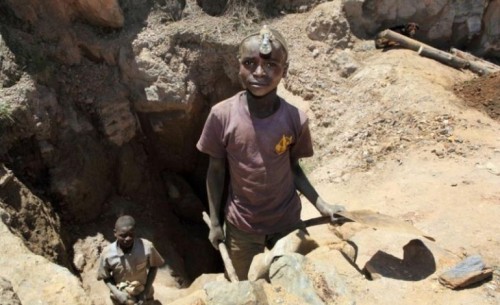
The Sky News investigation found children as young as 4 years old working in the mines, crippling health issues linked to fumes, and pay equivalent to around a dime for a day’s worth of backbreaking labor.
One of the most prominent players in the flow of cobalt from Africa to manufacturers in Asia is Zhejiang Huayou Cobalt Company. The Chinese company is the largest buyer of artisanal cobalt in the DRC and supplies most of the world’s biggest battery makers, including Apple.
Last year, Apple pledged that it would step up scrutiny of its cobalt supply chain, but said it wouldn’t halt purchases. It said it was concerned that cutting off the artisanal mines that Huayou Cobalt buys from would be too blunt of a tool to use, since it would end up causing miners to lose jobs. Apple’s logic, presumably, was that exploring ways to enhance regulation was the best way to thread the needle between taking the minerals with no questions asked and boycotting the mines. That was its public claim; there was also the reality that cutting off a major supply of cobalt was likely disruptive to business.
But now, as the Washington Post reports, Apple has stopped buying cobalt from artisanal mines altogether — at least for the moment.
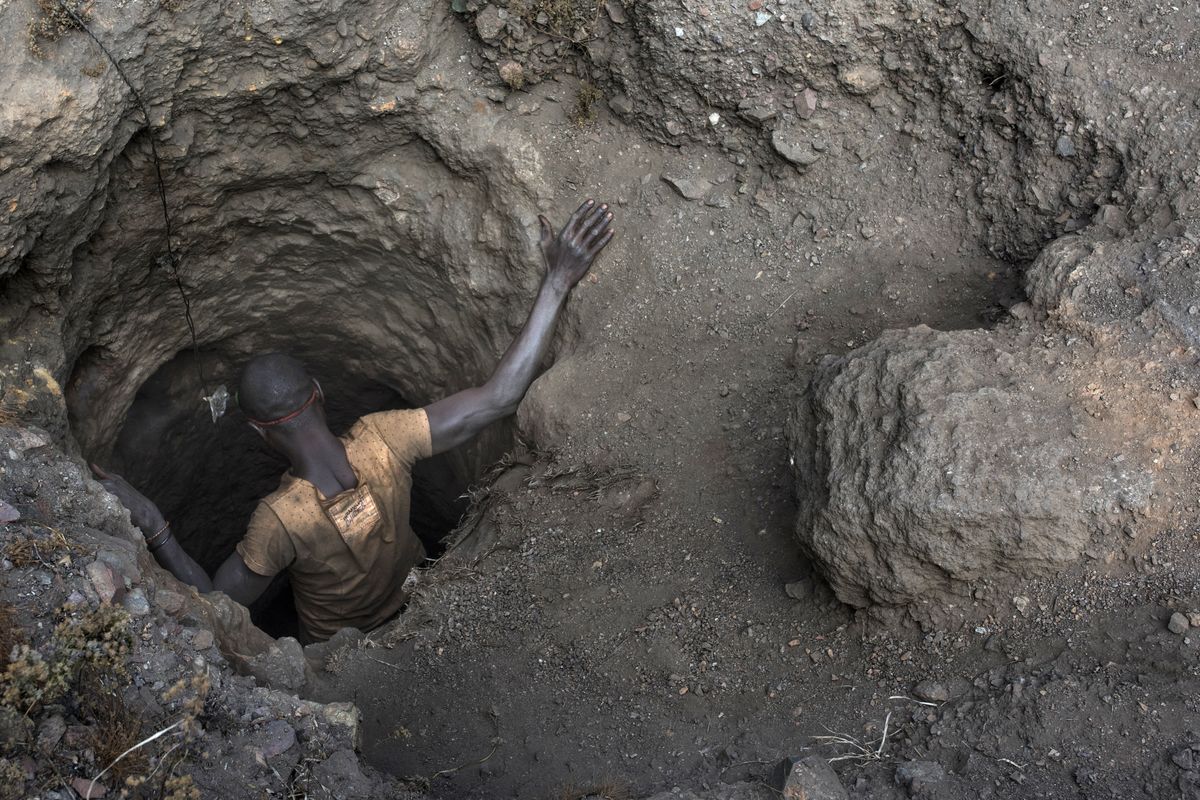
We have been working with Huayou on a program that will verify individual artisanal mines, according to our standards,” Apple said in a statement, according to the Post. “And these mines will re-enter our supply chain when we are confident that the appropriate protections are in place.”
Apple says it will coordinate with local groups to improve working conditions and end child labor, according to the Post. It’s also said that it will begin to treat cobalt the way it does “conflict minerals.” Federal law requires companies to demonstrate that minerals that fall in this category don’t benefit or finance armed groups in the DRC.
Source: vox










