 NEWS
NEWS
Every New iPhone Will Have the iPhone 8’s Hottest Feature Within Two Years
 03/07/2017
 3809
3809
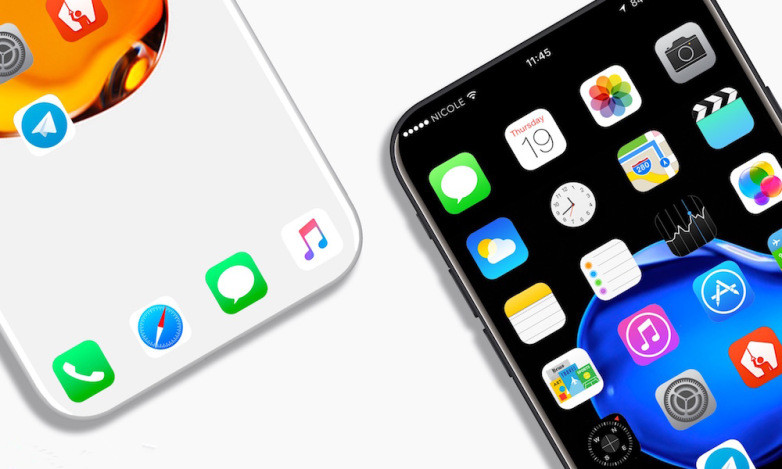
Following years of unsurprising iterations, Apple is expected to completely refresh the iPhone line this year with a host of new features and an exciting new design. Of all the rumored additions to the iPhone 8, few have received as much buzz as the OLED display. Unfortunately, only one of the three models Apple is said to be launching this year will feature OLED technology, but that could change within a few years.
Citing a report from South Korean publication The Bell, Patently Apple says that Apple supplier Interflex will spend over $800 million on a new facility where it will produce flexible printed circuit boards (FPCBs) for Apple’s iPhone 8 and future iPhones, as Apple is expected to go all-in on OLED in the near future:
“FPCB connects chips to parts such as displays and cameras. Apple will secure the part for its new OLED iPhone from three Korean suppliers, including the Samsung unit, Interflex and BH. Apple is expected to adopt OLED for about 60 million units or 40 percent of the iPhone 8 this year and double the adoption next year. It aims to use OLED for all its new iPhones by 2019.”
Just to reiterate, supply-chain sources believe that every new iPhone produced in 2019 will feature an OLED display. Plans can change and sources can be mistaken, but this sounds like a fairly reasonable timeline, especially if the premium iPhone 8 rumored to launch this fall is a success for Apple.
Whether you’re interested in OLED displays or not, rumors suggest that Apple will launch an OLED-equipped iPhone 8 and two iPhone 7s models featuring the same LCD displays used on the current iPhone 7.
Source: BGR










