
NEWS

Tim Cook on iPhone's Future: 'There's So Much Left That We Can Do'

03/19/2026

203

In an interview with Nikias Molina at New York's Grand Central Terminal last week, Apple's CEO Tim Cook briefly commented on the future of the iPhone.
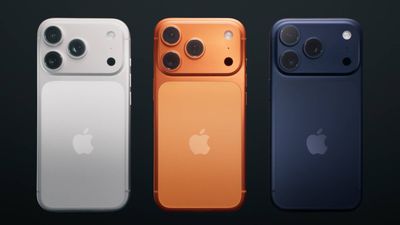
Tim Cook on iPhone's Future: 'There's So Much Left That We Can Do'
"There's so much left that we can do with the iPhone," said Cook. "I think it's going to continue to be the center of people's digital lives."

While this is just typical corporate speak, it is still interesting that Cook thinks the iPhone will remain the core device in people's lives, given that Apple is pushing into new areas like spatial computing. Apple is reportedly also working on things such as augmented reality glasses and an AI-powered pendant without a screen.

Next year, the iPhone turns 20, and the device's popularity is still reaching new heights. iPhone revenue last quarter came in at $85.2 billion, a new all-time high. Cook said iPhone demand during the quarter was "simply staggering."

"iPhone had its best-ever quarter driven by unprecedented demand, with all-time records across every geographic segment," said Cook, in January.

It remains to be seen if there is ever a device that supplants the iPhone, and smartphones in general, but Cook is certainly not worried right now.

"iPhone's going to be around for a very long time," he said.

Source: Macrumors

Windows
Mac OS
iOS
Linux
3uTools
Win 64-bit For this device
V9.03 2026-03-12
Download
Win 32-bit For this device
V9.03 2026-03-12
Download
3uTools
Intel Chip How to Identify Chip Type
V9.01 2025-12-31
Download
Apple Silicon
V9.01 2025-12-31
Download
How to Identify Chip Type
1.  Click the Apple icon in the top-left corner of the screen and select About This Mac.
2.  Check the Processor or Chip field to determine if it is "Intel" or "Apple".
Please use the 3uTools PC client to install the iOS client:
1、 Install either the Windows or Mac version of 3uTools on your computer
2、 Open the PC client and connect your device to the computer via USB cable
3、 After the connection is successful, wait for the computer to automatically install the mobile app for the device, or locate “Install Mobile App” on the computer and manually click to install.
3uTools
deb file
V3.01 2025-11-20
Download
rpm file
V3.01 2025-11-20
Download
Windows
Windows
iOS
iOS
Android
Android
TV
TV
3uAirPlayer
Win 64-bit For this device
V6.0.3 2026-03-11
Download
Win 32-bit For this device
V6.0.3 2026-03-11
Download
iOS Device Mirroring (No App Required)
1、 Install 3uAirPlayer on the Windows PC
2、 Open Control Center and select Screen Mirroring
3、 From the list, choose your PC to start mirroring
4、 Or connect your iOS device to the PC via USB to begin mirroring
Scan to get "3uAirPlayer" App
3uAirPlayer TV V1.0.18
2025-11-28
TV System Requirements: Android 7.0 or later
Download the TV installation package, copy it to a USB drive, insert it into your TV or set-top box, then select the file from the home screen to install.




