 NEWS
NEWS
iPhone 18 Pro May Not Have a Smaller Dynamic Island After All
 03/12/2026
 1992
1992
Apple's iPhone 18 Pro models may not have a smaller Dynamic Island after all, despite rumors suggesting that it would see a reduction in size this year, according to a known leaker.
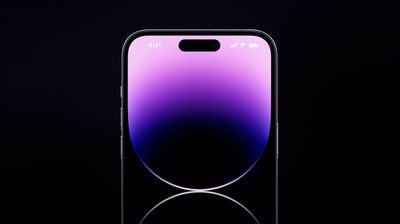
Citing recent supply chain information, the leaker known as "Digital Chat Station" claims that the iPhone 18 Pro models may reuse some of their predecessor's molds and chassis designs. Face ID and the Dynamic Island will remain "largely unchanged," with plans to implement under-display Face ID and shrink the size of the Dynamic Island apparently now delayed to the following generation. Instead, the main upgrades will be the 2nm A20 Pro, a 5,000mAh+ battery, and improved large-aperture camera hardware.
There has been considerable disagreement between reliable sources on the iPhone 18 Pro's Dynamic Island. Over the past year, there have been mixed rumors about whether the iPhone 18 Pro models will continue to feature a Dynamic Island or have a hole punch camera with under screen Face ID and no Dynamic Island.
In January, things seemed to become clearer when Weibo leaker "Instant Digital," "ShrimpApplePro," and DSCC's Ross Young supported the rumor of a narrower Dynamic Island. Bloomberg's Mark Gurman then independently reported that the device would have a smaller Dynamic Island.
Thus the latest rumor from "Digital Chat Station" seems to go against the grain, but it is not out of the question. We heard the same rumors about a smaller iPhone 17 Pro Dynamic Island last year, but the Dynamic Island ultimately ended up being the same size.
In the long term, Apple apparently wants to create an iPhone that's a slab of glass with no cutouts, and we may see that with the 20th anniversary iPhone in 2027. The iPhone 18 Pro and iPhone 18 Pro Max are expected to launch in the fall of 2026.
Source: Macrumors










