
NEWS

Apple to Open New Schildergasse Retail Store in Cologne, Germany

03/06/2017

4083

Apple announced that its second retail store in the German city of Cologne will open later this month. The address of the brick-and-mortar store is Schildergasse 1-9, which sits on one of the busiest shopping streets in Europe. Doors open on March 25. 


The announcement confirms long-held rumors that Apple has been planning a second store in the city. Evidence surfaced in January that it was putting the finishing touches to a store at the sought-after retail location, which was previously occupied by European clothing brand Pohland. Local blog Apfelpage reports that Apple is already in the process of transferring some of its Rhein Center store staff to the new location. 
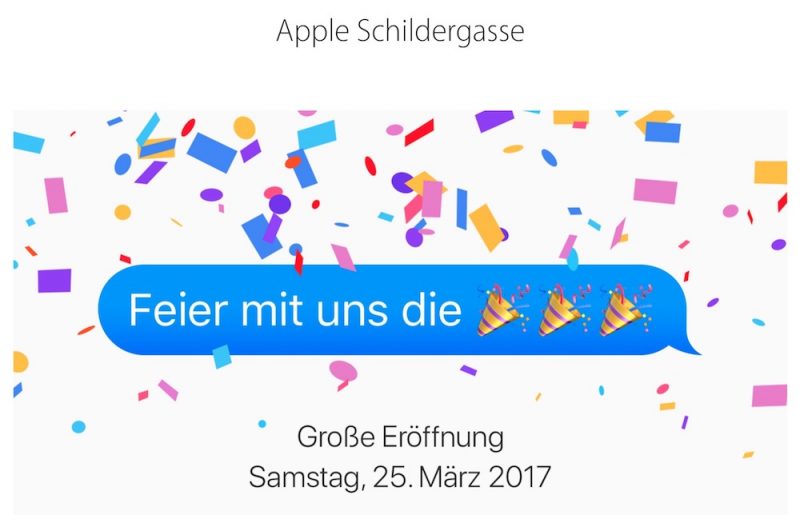

Apple to Open New Schildergasse Retail Store in Cologne, Germany


The street of Schildergasse has a Roman history and derives its name from schild, (meaning shield), because artists who lived there in the Middle Ages were known for their paintings of coats of arms. Every hour, some 13,000 people pass through the street, which spans 500 meters from Hohe Straße on the Eastern End to Neumarkt on the Western End.


Source: macrumors

Windows
Mac OS
iOS
Linux
3uTools
Win 64-bit For this device
V9.0 2025-11-11
Download
Win 32-bit For this device
V9.0 2025-11-11
Download
3uTools
Intel Chip How to Identify Chip Type
V9.0 2025-12-02
Download
Apple Silicon
V9.0 2025-12-02
Download
How to Identify Chip Type
1.  Click the Apple icon in the top-left corner of the screen and select About This Mac.
2.  Check the Processor or Chip field to determine if it is "Intel" or "Apple".
Please use the 3uTools PC client to install the iOS client:
1、 Install either the Windows or Mac version of 3uTools on your computer
2、 Open the PC client and connect your device to the computer via USB cable
3、 After the connection is successful, wait for the computer to automatically install the mobile app for the device, or locate “Install Mobile App” on the computer and manually click to install.
3uTools
deb file
V3.01 2025-11-20
Download
rpm file
V3.01 2025-11-20
Download
Windows
Windows
iOS
iOS
Android
Android
TV
TV
3uAirPlayer
Win 64-bit For this device
V6.0.2 2025-11-19
Download
Win 32-bit For this device
V6.0.2 2025-11-19
Download
iOS Device Mirroring (No App Required)
1、 Install 3uAirPlayer on the Windows PC
2、 Open Control Center and select Screen Mirroring
3、 From the list, choose your PC to start mirroring
4、 Or connect your iOS device to the PC via USB to begin mirroring
Scan to get "3uAirPlayer" App
3uAirPlayer TV V1.0.18
2025-11-28
TV System Requirements: Android 7.0 or later
Download the TV installation package, copy it to a USB drive, insert it into your TV or set-top box, then select the file from the home screen to install.




