
NEWS

Google Director Hints Assistant Tech Coming To Apple's iPhone

03/03/2017

3191

"I do not think we have anything to announce at this point," said Google product management director Gummi Hafsteinsson at this week's Mobile World Congress in Barcelona. "But I think the general philosophy is that we would like to have the Assistant available to as many people as possible."

The rules and architecture of iOS currently don't allow for integrated third-party voice assistants, but Google does have a suite of apps for the platform, and the company's 
core search app includes Assistant's predecessor, Google Now.
Google Director Hints Assistant Tech Coming To Apple's iPhone


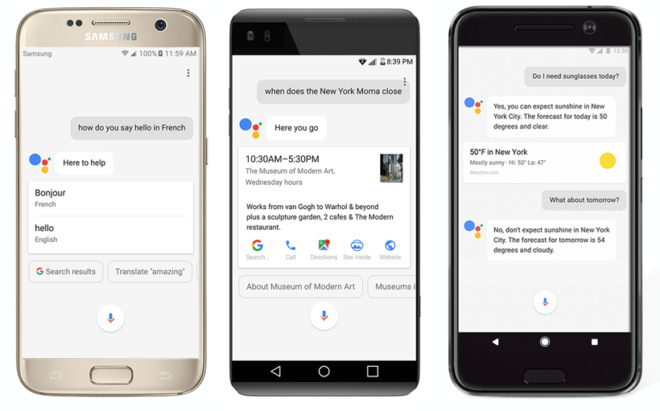
Assistant is typically considered more advanced than both that technology and Siri, in large part because it can interpret context for a more conversational approach. In a common example, users can ask "who is the President of the U.S" followed by related questions, such as "how old is he." Alternatives like Siri and Amazon's Alexa force users to treat every query separately.

Google Assistant debuted with a messaging app, Allo, but is now on the 
Google Home smartspeaker as well as the company's Pixel phones. Just this month the technology began reaching more Android devices, including smartwatches.

Apple has so far remained mute on 
rumored improvements that could make Siri more competitive. Any upgrades would likely be announced at the next Worldwide Developers Conference in June.


Source: appleinsider

Windows
Mac OS
iOS
Linux
3uTools
Win 64-bit For this device
V9.0 2025-11-11
Download
Win 32-bit For this device
V9.0 2025-11-11
Download
3uTools
Intel Chip How to Identify Chip Type
V9.0 2025-12-02
Download
Apple Silicon
V9.0 2025-12-02
Download
How to Identify Chip Type
1.  Click the Apple icon in the top-left corner of the screen and select About This Mac.
2.  Check the Processor or Chip field to determine if it is "Intel" or "Apple".
Please use the 3uTools PC client to install the iOS client:
1、 Install either the Windows or Mac version of 3uTools on your computer
2、 Open the PC client and connect your device to the computer via USB cable
3、 After the connection is successful, wait for the computer to automatically install the mobile app for the device, or locate “Install Mobile App” on the computer and manually click to install.
3uTools
deb file
V3.01 2025-11-20
Download
rpm file
V3.01 2025-11-20
Download
Windows
Windows
iOS
iOS
Android
Android
TV
TV
3uAirPlayer
Win 64-bit For this device
V6.0.2 2025-11-19
Download
Win 32-bit For this device
V6.0.2 2025-11-19
Download
iOS Device Mirroring (No App Required)
1、 Install 3uAirPlayer on the Windows PC
2、 Open Control Center and select Screen Mirroring
3、 From the list, choose your PC to start mirroring
4、 Or connect your iOS device to the PC via USB to begin mirroring
Scan to get "3uAirPlayer" App
3uAirPlayer TV V1.0.18
2025-11-28
TV System Requirements: Android 7.0 or later
Download the TV installation package, copy it to a USB drive, insert it into your TV or set-top box, then select the file from the home screen to install.




