 NEWS
NEWS
Here Are 150+ New Emoji Coming to iPhones and iPads Later This Year
 02/08/2018
 9969
9969
The Unicode Consortium today announced it has finalized a new set of 157 emoji that companies like Apple will be able to implement later this year. There are actually only 77 new emoji in total, as some have multiple skin tones.
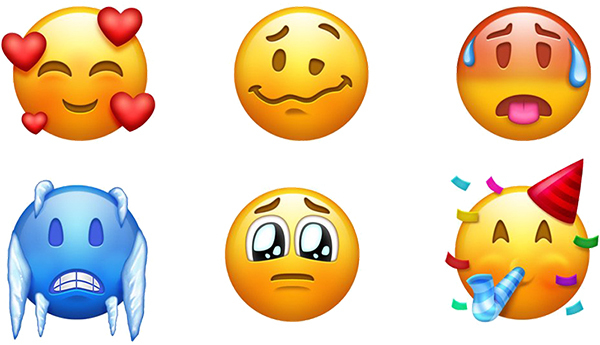
Jeremy Burge, who runs the popular emoji-themed website Emojipedia, has shared sample images of every new emoji in an Apple-like style to show how they might look on devices like the iPhone, iPad, and Mac.
Emoji 11.0 will include several new hairstyles and types, including male and female faces with red hair, curly hair, gray hair at a younger age, and no hair or baldness, along with hot and cold faces, and woozy and pleading faces.
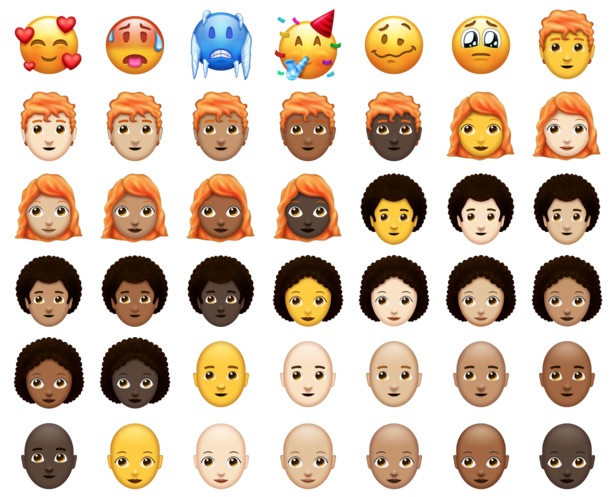
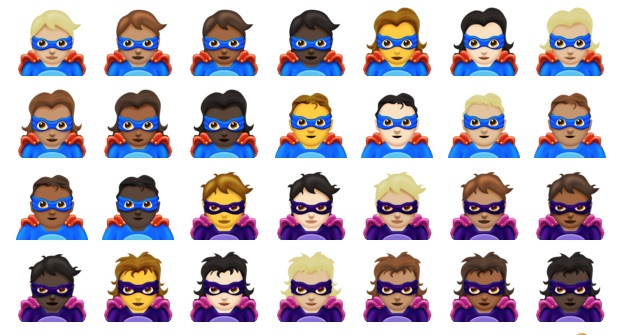
Other notable inclusions are new male and female superhero and supervillain options, a face with a party hat, and emojis for well-known activities such as sewing, knitting, lacrosse, softball, frisbee, chess, and skateboarding.
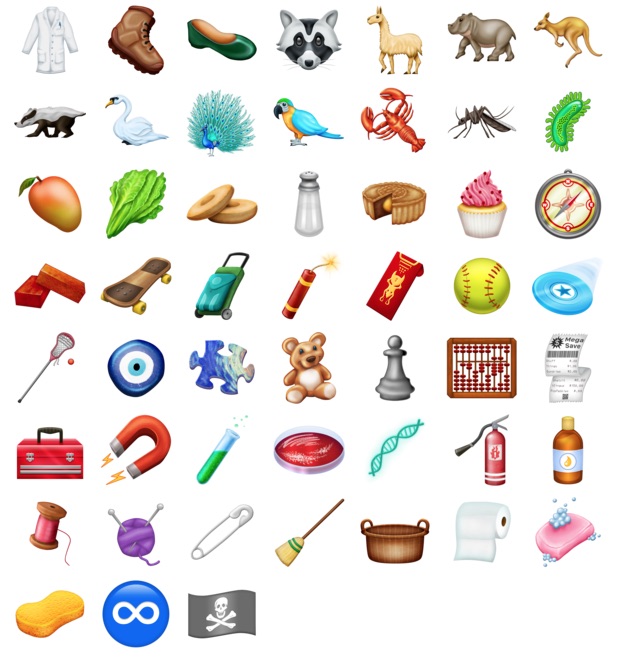
New animals and insects include a kangaroo, parrot, peacock, swan, badger, llama, lobster, hippopotamus, raccoon, and mosquito.
New food options include a bagel, lettuce, mango, and cupcake, among others, while new objects range from a fire extinguisher and test tube to a toilet paper roll and sponge. There's even a pirate flag and an infinity symbol.
Emoji 11.0 will be part of the Unicode 11.0 standard, scheduled for release this June. The new emoji typically start showing up on mobile devices in August or September, so expect to see them on iPhones and iPads around iOS 12. The new emojis should extend to the Mac and Apple Watch at some point too.
Next up will be Emoji 12.0, part of the Unicode 12.0 standard, scheduled for release around March 2019. New guidelines in Emoji 12.0 will allow for emojis that currently face to the left or right only to face either direction.
Source: macrumors










