 NEWS
NEWS
10.5-Inch iPad Pro Said to Have 2,224×1,668 Display With Same Pixel Density as 9.7-Inch Model
 02/28/2017
 3505
3505
Apple's rumored 10.5-inch iPad Pro will have a higher resolution of 2,224×1,668 pixels, while maintaining the same pixel density as the current 9.7-inch iPad Pro, according to IHS Markit director of tablets and PCs Rhoda Alexander.
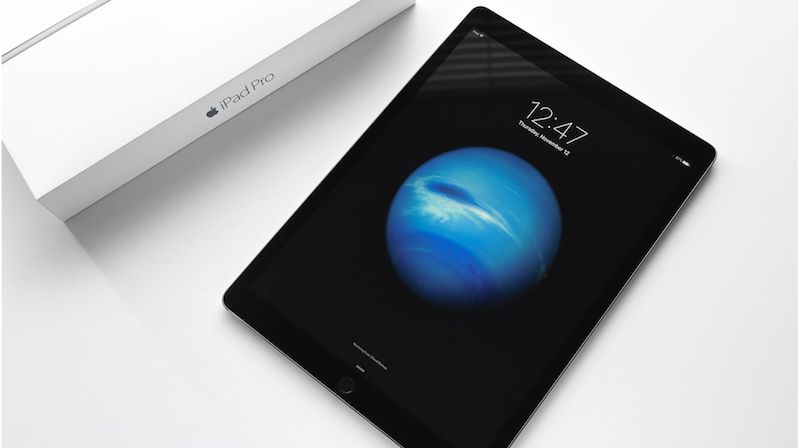
Specifically, she told Forbes that a 10.5-inch iPad Pro at 2,224×1,668 would have 264 PPI, equal to the current 9.7-inch iPad Pro at 2,048×1,536.
The article actually quoted Alexander as saying the 10.5-inch iPad Pro will have a 2,024×1,668 resolution, but she confirmed to MacRumors that this was a typo and that she indeed expects a resolution of 2,224×1,668.
If the 10.5-inch iPad Pro does in fact end up having the same pixel density as the current 9.7-inch iPad Pro, that would go against another mathematically possible scenario in which the tablet could have the same 2,732×2,048 resolution as the current 12.9-inch iPad Pro, with the same pixel density as the iPad mini 4.
In line with existing rumors, Alexander said the 10.5-inch iPad Pro will have slimmer bezels that allow it to have the same overall footprint as the 9.7-inch iPad Pro. She reportedly expects the 10.5-inch iPad Pro to "arrive in the March-April timeframe," which lines up with Apple's rumored March event.
Japanese blog Mac Otakara said Apple will release four new iPad Pro models at a March event. The report said the 10.5-inch model may not ship until May, while new 7.9-inch, 9.7-inch, and 12.9-inch models are said to ship in March. DigiTimes likewise said the 10.5-inch iPad Pro may not come until May-June.
Alexander also said Apple's rumored low-cost 9.7-inch iPad Pro could start at $299, which would be $100 cheaper than the iPad Air 2. It could supplant the iPad mini 4, which Alexander said may not be updated. KGI Securities analyst Ming-Chi Kuo said the low-cost model could have an older A9X chip.
Source: Macrumors










