
NEWS

iOS 11 to Bring Group FaceTime Video Calling?

01/21/2017

4565

Apple is planning to update FaceTime with support for group calling in iOS 11. The software update which will likely be introduced at WWDC is said to bring more social features.

The next update, iOS 11, will include several new features, one of which is the multi-user to make a call FaceTime video service. According to information reaching the site, the next update for the iOS operating system 11, will be more Update 'social' that will put an emphasis primarily on chats on iMessage and FaceTime.
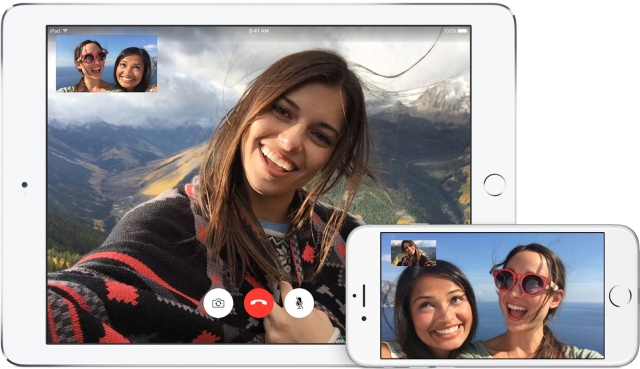
iOS 11 to Bring Group FaceTime Video Calling?


Sources tell the site that it will be possible to start a video call from a group conversation in iMessage. The FaceTime group video calling feature will allegedly let you add up to five people to your call.

The site says it can't confirm that the feature will make the cut for iOS 11.0; however, it has verified that the feature exists and is currently under development.

We'd definitely like to see group video calling added to iOS and we'll keep you up to date with any developments.


Source: iClarified

Windows
Mac OS
iOS
Linux
3uTools
Win 64-bit For this device
V9.0 2025-11-11
Download
Win 32-bit For this device
V9.0 2025-11-11
Download
3uTools
Intel Chip How to Identify Chip Type
V9.0 2025-12-02
Download
Apple Silicon
V9.0 2025-12-02
Download
How to Identify Chip Type
1.  Click the Apple icon in the top-left corner of the screen and select About This Mac.
2.  Check the Processor or Chip field to determine if it is "Intel" or "Apple".
Please use the 3uTools PC client to install the iOS client:
1、 Install either the Windows or Mac version of 3uTools on your computer
2、 Open the PC client and connect your device to the computer via USB cable
3、 After the connection is successful, wait for the computer to automatically install the mobile app for the device, or locate “Install Mobile App” on the computer and manually click to install.
3uTools
deb file
V3.01 2025-11-20
Download
rpm file
V3.01 2025-11-20
Download
Windows
Windows
iOS
iOS
Android
Android
TV
TV
3uAirPlayer
Win 64-bit For this device
V6.0.2 2025-11-19
Download
Win 32-bit For this device
V6.0.2 2025-11-19
Download
iOS Device Mirroring (No App Required)
1、 Install 3uAirPlayer on the Windows PC
2、 Open Control Center and select Screen Mirroring
3、 From the list, choose your PC to start mirroring
4、 Or connect your iOS device to the PC via USB to begin mirroring
Scan to get "3uAirPlayer" App
3uAirPlayer TV V1.0.18
2025-11-28
TV System Requirements: Android 7.0 or later
Download the TV installation package, copy it to a USB drive, insert it into your TV or set-top box, then select the file from the home screen to install.




