
NEWS

Apple Insider Leaks Exciting New iPhone XR2 Design

04/29/2019

3764

Apple’s best iPhone is the iPhone XR because it balances bang for your buck with compromises most users don’t care about. And now, with the iPhone 11 looking like a dog’s breakfast, new information reveals it is actually the iPhone XR2 which is worth getting excited about. 
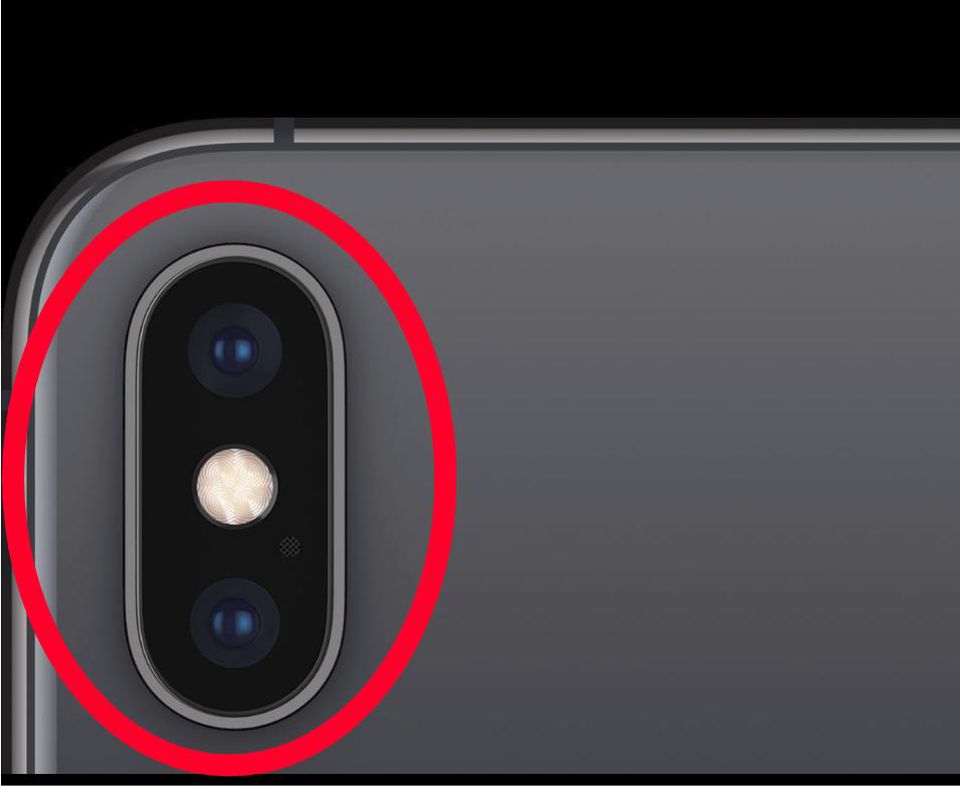

Apple Insider Leaks Exciting New iPhone XR2 Design


Citing supply chain sources, acclaimed Japanese site Macotakara says it believes the iPhone XR2 will be upgraded to a dual rear camera, adding a telephoto lens like the iPhone XS and iPhone XS Max. This would make paying for a premium iPhone 11 seem even less appealing, especially with Apple expected to increase flagship prices yet again.


Yes, the iPhone 11 and iPhone 11 Max (names TBC) will step up themselves with impressive new triple rear cameras but this comes at a cost because they will be housed in a massive square camera hump which makes for a truly ugly iPhone. Conversely, we already know from the iPhone XS that Apple can integrate dual cameras far more stylishly.


Adding further spice to this news, Macotakara says the iPhone XR2 (again name TBC) will also get the same primary upgraded camerasas the iPhone 11 as well as fast charging in the box courtesy of a bundled USB-C to Lightning 18W charger. The only negative is Apple was tipped to give the iPhone XR2 the same triple cameras as its premium models this year but, in truth, that always sounded too good to be true.
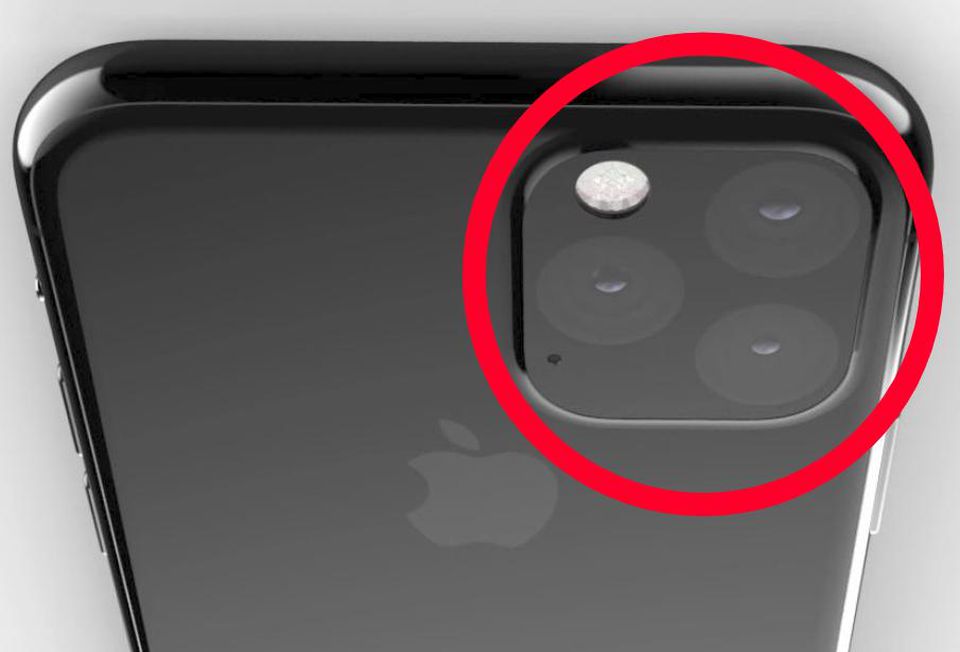

Apple Insider Leaks Exciting New iPhone XR2 Design


Source: forbes

Windows
Mac OS
iOS
Linux
3uTools
Win 64-bit For this device
V9.01 2025-12-27
Download
Win 32-bit For this device
V9.01 2025-12-27
Download
3uTools
Intel Chip How to Identify Chip Type
V9.01 2025-12-31
Download
Apple Silicon
V9.01 2025-12-31
Download
How to Identify Chip Type
1.  Click the Apple icon in the top-left corner of the screen and select About This Mac.
2.  Check the Processor or Chip field to determine if it is "Intel" or "Apple".
Please use the 3uTools PC client to install the iOS client:
1、 Install either the Windows or Mac version of 3uTools on your computer
2、 Open the PC client and connect your device to the computer via USB cable
3、 After the connection is successful, wait for the computer to automatically install the mobile app for the device, or locate “Install Mobile App” on the computer and manually click to install.
3uTools
deb file
V3.01 2025-11-20
Download
rpm file
V3.01 2025-11-20
Download
Windows
Windows
iOS
iOS
Android
Android
TV
TV
3uAirPlayer
Win 64-bit For this device
V6.0.2 2025-11-19
Download
Win 32-bit For this device
V6.0.2 2025-11-19
Download
iOS Device Mirroring (No App Required)
1、 Install 3uAirPlayer on the Windows PC
2、 Open Control Center and select Screen Mirroring
3、 From the list, choose your PC to start mirroring
4、 Or connect your iOS device to the PC via USB to begin mirroring
Scan to get "3uAirPlayer" App
3uAirPlayer TV V1.0.18
2025-11-28
TV System Requirements: Android 7.0 or later
Download the TV installation package, copy it to a USB drive, insert it into your TV or set-top box, then select the file from the home screen to install.





