
NEWS

Apple Releases First iOS 11.2 Beta for iPhone and iPad

10/31/2017

4824

Apple has released the first iOS 11.2 beta for iPhone and iPad. We’re updating to see what changes are included in the latest developer software beta.


The first iOS 11.2 beta went out to developers earlier today and with it comes several new updates and changes. As you might expect that are quite a few small tweaks and enhancements scattered throughout the release, but 11.2 beta 1 also lends us a first look at the new AirPlay 2 multi-room control features that Apple announced back at WWDC 2017.
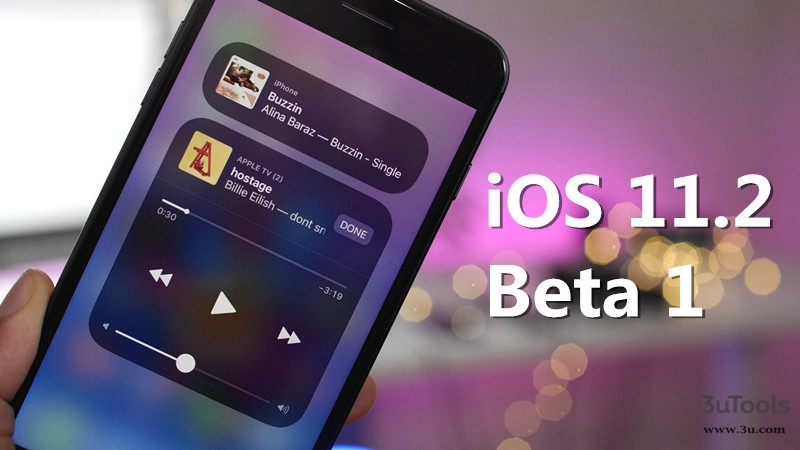

Apple Releases First iOS 11.2 Beta for iPhone and iPad


You could use 3uTools to flash for more details… 


Changes:

  • Square icon in Control Center music controls

  • Hover highlighting in App Store search

  • Calculator is fixed to eliminate button press latency

  • Notifications setting for TV app

  • Tweaked emojis

  • Updated Live Photo effects loading animation

  • Double clicking side button no longer locks device

  • iPhone 8/X wallpaper now available on older devices

  • Updated Camera app icon in Messages app

  • Control AirPlay 2-enabled devices like Apple TV


To use the new AirPlay 2 controls found in Control Center and the Music app, you must update your Apple TV to tvOS 11.2 or later.


Source: 9to5mac

Windows
Mac OS
iOS
Linux
3uTools
Win 64-bit For this device
V9.0 2025-11-11
Download
Win 32-bit For this device
V9.0 2025-11-11
Download
3uTools
Intel Chip How to Identify Chip Type
V9.0 2025-12-02
Download
Apple Chip
V9.0 2025-12-02
Download
How to Identify Chip Type
1.  Click the Apple icon in the top-left corner of the screen and select About This Mac.
2.  Check the Processor or Chip field to determine if it is "Intel" or "Apple".
Please use the 3uTools PC client to install the iOS client:
1、 Install either the Windows or Mac version of 3uTools on your computer
2、 Open the PC client and connect your device to the computer via USB cable
3、 After the connection is successful, wait for the computer to automatically install the mobile app for the device, or locate “Install Mobile App” on the computer and manually click to install.
3uTools
deb file
V3.01 2025-11-20
Download
rpm file
V3.01 2025-11-20
Download
Windows
Windows
iOS
iOS
Android
Android
TV
TV
3uAirPlayer
Win 64-bit For this device
V6.0.2 2025-11-19
Download
Win 32-bit For this device
V6.0.2 2025-11-19
Download
iOS Device Mirroring (No App Required)
1、 Install 3uAirPlayer on the Windows PC
2、 Open Control Center and select Screen Mirroring
3、 From the list, choose your PC to start mirroring
4、 Or connect your iOS device to the PC via USB to begin mirroring
Scan to get "3uAirPlayer" App
3uAirPlayer TV V1.0.18
2025-11-28
TV System Requirements: Android 7.0 or later
Download the TV installation package, copy it to a USB drive, insert it into your TV or set-top box, then select the file from the home screen to install.




