 NEWS
NEWS
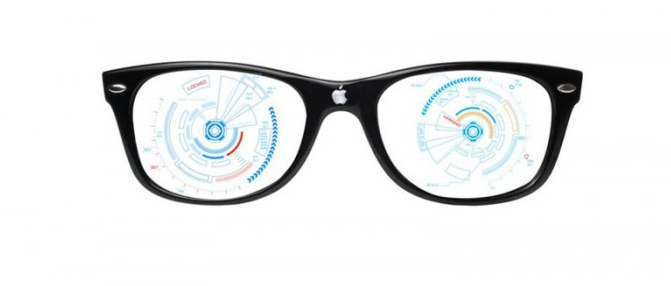
Apple Will Release AR Wearable Apple Glasses in 2020
 06/28/2017
 5216
5216
Apple analyst Gene Munster is out with his Apple predictions for the next five years. Notably, the analyst is predicting that the company will release its rumored glasses in 2020.
Our best guess is that Apple Glasses, an AR-focused wearable, will be released mid FY20. This is based on the significant resources Apple is putting into AR, including ARKit and the recent SensoMotoric Instruments acquisition. We believe Apple see’s the AR future as a combination of the iPhone and some form of a wearable. With an average sale price of $1,300 we expect initial demand to be limited at just over 3m units compared to 242m iPhones that year. This equates 2% of sales in FY20 increasing to 10% ($30B) in FY22 when we expect the ASP to be about ~$1,000.
Munster believes that iPhone growth will peak in 2019 then decline as Apple Glasses grow in popularity.
Touching on Apple's popular AirPods, Munster forecasts that the wireless earphones will be bigger than the Apple Watch as the product evolves into a wearable augmented audio device.
While both AirPods and Apple Watch should continue to grow, we see AirPods contributing about the same amount of revenue as Apple Watch by FY22. We expect the AirPods ASP to increase from $159 today to $200 in FY22 as the product shifts to augmented audio.
Despite, Apple's heavy investment in auto related research, Munster has excluded the category from his model as the company's go to market strategy is unclear. Three possible options are put forward. Apple could partner with a manufacturer, develop software for autonomous vehicles, or build it's own fleet of self driving cars (unlikely).
Overall, Apple is forecasted to reach net revenue of $292B and EPS of $13.20 by the end of 2022, up from $221B and $8.74 in FY17.
Source: iclarified










