
NEWS

Apple’s Devices Lose Luster in American Classrooms

03/03/2017

4340

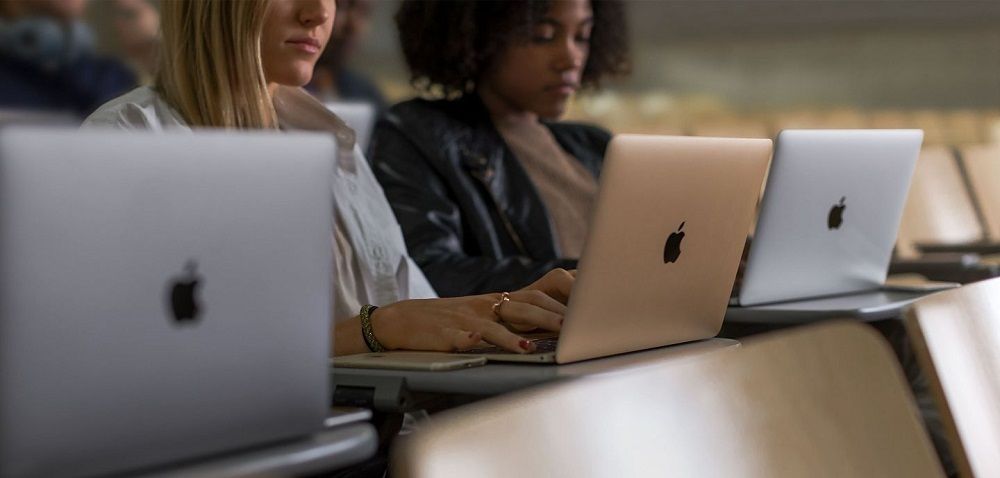
Apple is losing its grip on American classrooms, which technology companies have long used to hook students on their brands for life.


Over the last three years, Apple’s iPads and Mac notebooks — which accounted for about half of the mobile devices shipped to schools in the United States in 2013 — have steadily lost ground to Chromebooks, inexpensive laptops that run on Google’s Chrome operating system and are produced by Samsung, Acer and other computer makers.

Apple’s Devices Lose Luster in American Classrooms


Mobile devices that run on Apple’s iOS and MacOS operating systems have now reached a new low, falling to third place behind both Google-powered laptops and Microsoft Windows devices, according to a report released on Thursday by Futuresource Consulting, a research company.


“Mac and iPad are the best tools in education to help teachers teach and students learn,” Susan Prescott, Apple’s vice president of product marketing, wrote in an email. “We’re incredibly passionate about education and new programs like Apple Teacher,” a site for teachers who want to learn how to more creatively use Apple tools with their students.


Apple has recently widened its education offerings. Last year, it introduced an app, called Classroom, to help teachers see and manage their students’ activities on iPads. It also created a free iPad app, called Swift Playgrounds, that introduces students to writing computer code.


Source: nytimes

Windows
Mac OS
iOS
Linux
3uTools
Win 64-bit For this device
V9.0 2025-11-11
Download
Win 32-bit For this device
V9.0 2025-11-11
Download
3uTools
Intel Chip How to Identify Chip Type
V9.0 2025-12-02
Download
Apple Chip
V9.0 2025-12-02
Download
How to Identify Chip Type
1.  Click the Apple icon in the top-left corner of the screen and select About This Mac.
2.  Check the Processor or Chip field to determine if it is "Intel" or "Apple".
Please use the 3uTools PC client to install the iOS client:
1、 Install either the Windows or Mac version of 3uTools on your computer
2、 Open the PC client and connect your device to the computer via USB cable
3、 After the connection is successful, wait for the computer to automatically install the mobile app for the device, or locate “Install Mobile App” on the computer and manually click to install.
3uTools
deb file
V3.01 2025-11-20
Download
rpm file
V3.01 2025-11-20
Download
Windows
Windows
iOS
iOS
Android
Android
TV
TV
3uAirPlayer
Win 64-bit For this device
V6.0.2 2025-11-19
Download
Win 32-bit For this device
V6.0.2 2025-11-19
Download
iOS Device Mirroring (No App Required)
1、 Install 3uAirPlayer on the Windows PC
2、 Open Control Center and select Screen Mirroring
3、 From the list, choose your PC to start mirroring
4、 Or connect your iOS device to the PC via USB to begin mirroring
Scan to get "3uAirPlayer" App
3uAirPlayer TV V1.0.18
2025-11-28
TV System Requirements: Android 7.0 or later
Download the TV installation package, copy it to a USB drive, insert it into your TV or set-top box, then select the file from the home screen to install.




