 TUTORIALS
iOS 10 Jailbreak
 07/27/2017
 9859
9859
This page covers all Jailbreak methods and Jailbreak alternatives about iOS 10, iOS 10.0.1, iOS 10.0.2 and iOS 10.0.3.
There are two Jailbreak/Jailbreak alternative methods are available for iOS 10 - 10.0.3
Jailbreak method for iOS10-10.0.3
Online Semi Jailbreak - Online Semi Jailbreak - Very easy. But It only hacks the Safari browser to download 3rd party IPA files to your device. You cannot install system tweaks and system apps at all using Semi Jailbreak Cydia. You can Jailbreak your iOS device by visiting this web page from your iOS 10 - 10.0.2 ,10.0.3 device. This is also compatible with iOS 10.0.3 on iPhone7 / 7 Plus
Online Semi jailbreak
Compatibility - All iOS 10 , iOS 10.0.1 , iOS 10.0.2 , iOS 10.0.3 devices (64-bit and 32-bit)
Step1: Visit this page from your iOS 10 - 10.0.2 device.
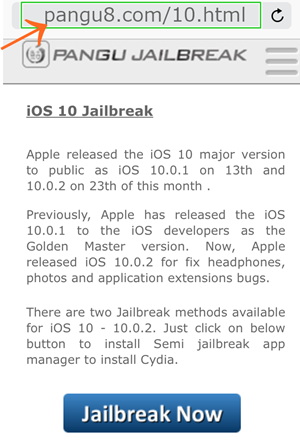
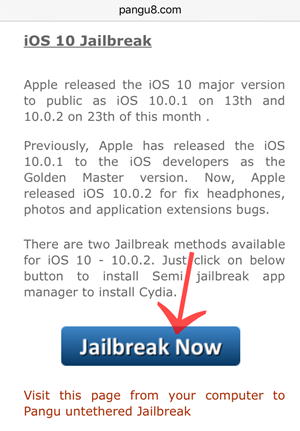
Step2: Tap the "Jailbreak" button
Step3: You will get following menus to continue.
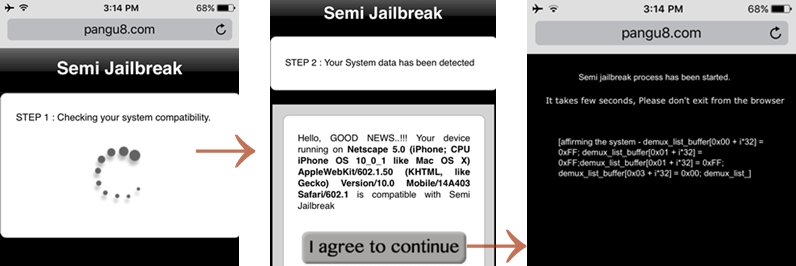
Finally, You can install the Semi Jailbreak app manager to your iOS 10 - 10.0.3 device. You can install 3rd party app stores (including Cydia) using this Semi JB app manager
Untethered Jailbreak
Please refer the iOS10.1 and 10.2 Jailbreak pages for more details about the upcoming Pangu Jailbreak tool
Untethered Jailbreak iOS 10 Untethered Jailbreak is available with Pangu 10 tool. The tool is still not compatible with iOS 10.0.3 at this time. 32-bit iOS users, please check below of this page.
64-bit device list - iPhone 6s Plus, iPhone 6s, iPhone 6 Plus, iPhone 6, iPhone 5s, iPad Air 2, iPad Air, iPad mini 4, iPad mini 3, iPad mini 2, 9.7-inch iPad Pro, 12.9-inch iPad Pro
iPhone 7 and iPhone 7 plus is not compatible for this method.
Source: PanGu Jailbreak










