 NEWS
NEWS
Apple Highlights iPad Pro's Productivity in Six New Videos
 04/16/2019
 2876
2876
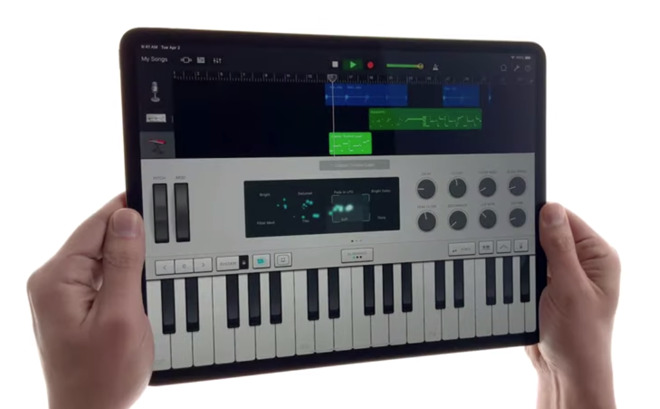
Five of the new videos give a brief overview of the different types of tasks a user can perform when they have a specific goal in mind. In each case, the video showcases the multitasking capabilities of the iPad Pro, as well as the use of the Apple Pencil, to enter data, design imagery, and for other work roles.
All five of the videos are then revealed to be "filmed with iPad Pro, as well as edited, designed, and "made with iPad Pro." This mimics a series of iPad Pro films released in January, which Apple then proved was accomplished using the iPad Pro where possible, via a separate making-of video.
The first of the new batch, "A new way to start your business," takes users through a brainstorming session, designing a logo, creating a pitch deck in Powerpoint and using images from Photos, producing business cards, building a website, and making an initial sale.
For "A new way to make a video," the 4K recording capabilities of the rear camera are highlighted along with the ability to import footage from a camera using the USB-C connection. Clips are shown to be imported into an application and placed on a timeline, before filters and hand-drawn graphics are applied, and the resulting video is sent to YouTube.
"A new way to plan your wedding" takes a similar route, creating an inspiration board and using planning applications, collaborating with other wedding party members, and designing an invitation that is sent out via iMessage. The user then uses a relaxation app, along with a pair of AirPods, after their busy planning session.
In "A new way to make music," the iPad Pro is used with GarageBand to record the Apple Pencil being tapped against glass. The sound is then applied alongside software instruments to create a full composition, before a second iPad Pro is connected to an electric guitar for a jam session.
The last, "A new way to travel," covers a similar planning routine for a trip abroad, starting with using Safari alongside Notes, and then a view of the Eiffel tower within Maps. For in-flight entertainment, a video is shown to be playing on top of a coloring-in app, before the user switches to play NBA 2K, then uses Apple Books. Images from the trip are shared, and lastly the user's iPhone is charged using the iPad Pro as a power source.
Today's videos also includes a sixth for the iPad Pro, but using a different style. The "Life on iPad" video shows a user disconnecting their iPad Pro from a monitor, then using a variety of apps as they make their way through a subway system, then continue using it on a plane.
Source: appleinsider










