 NEWS
NEWS
Apple Could Be Putting Face ID and Touch ID in the Same iPhone
 12/18/2018
 3436
3436
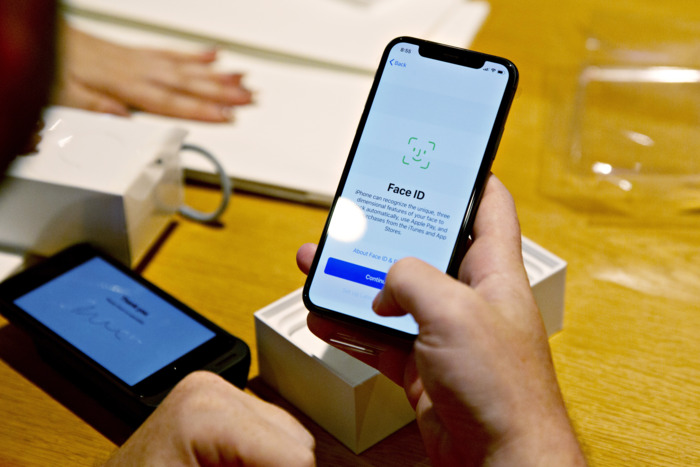
As reported by Apple-watcher Patently Apple, Apple may soon be rolling out phones that use Face ID and Touch ID in tandem.
If you’ve used an iPhone with Face ID, using it feels a bit like magic — when it works. The problem is, it still feels fiddly. Anecdotally, I have had a success rate of about 75 percent with it; I end up entering my passcode a lot more than I did back when I used Touch ID, which almost never failed.
Apple admits as much in a new patent filing, saying that facial recognition “require[s] a user to almost perfectly align a biometric feature in a same manner during both enrollment and each iteration of authentication,” leading to “false negatives” and overall frustration.
Apple’s patent describes a setup in which Touch ID is used if Face ID doesn’t work for authenticating a user in an app, whether for verifying a purchase or letting you log into your bank account. It doesn’t mention letting you use Touch ID to unlock your phone altogether.
It should be noted that Apple files many, many patents, most of which are never actually used for production models. It’s also worth noting the old-school design of the phones in the patent filing: they have home-screen buttons and large bezels. (That said, patent diagrams are more approximations than 1:1 representations of final products).
If Apple did bring back Touch ID, it would almost assuredly put the fingerprint scanner underneath the screen. We’ve already seen several Android phones this year, including the Vivo V11 Pro and the OnePlus 6T, with fingerprint scanners embedded under their screens. While it’s uncertain if Apple is bringing back Touch ID at all — especially considering it just eliminated it from its iPad Pro lineup — if it did bring it back, the scanner would be under the screen. The future of the the iPhone may be up in the air, but the future of the home-screen button is not — it’s never coming back.
Source: nymag










