 NEWS
NEWS
Apple Promotes iPhone XS and iPhone XR with Trade-in price Comparison Page
 12/11/2018
 2904
2904
Apple is continuing to increase the prominence of its limited time iPhone sales offer, which enables customers to buy iPhone XS and iPhone XR for cheaper when trading in an existing iPhone model …
Amidst rumors of weaker-than-expected sales of the 2018 lineup, Apple has been aggressively advertising its boosted trade-in scheme with Apple Store retail visibility, App Store editorial, increasingly large homepage features and even Twitter ads.
The latest extension to this promotion is a new web page that allows prospective buyers to select their current device, and then see how much an iPhone XS, iPhone XS Max or iPhone XR would cost them if they swapped out their good condition device today.
This page is very direct in showing customers the effective price of each of the three models. Pressing the Select button begins the purchase flow with Apple GiveBack. The tool automatically calculates the prices when selecting each model in the picker, ranging from a mere $25 when swapping an iPhone 5 to $500 for an iPhone X.
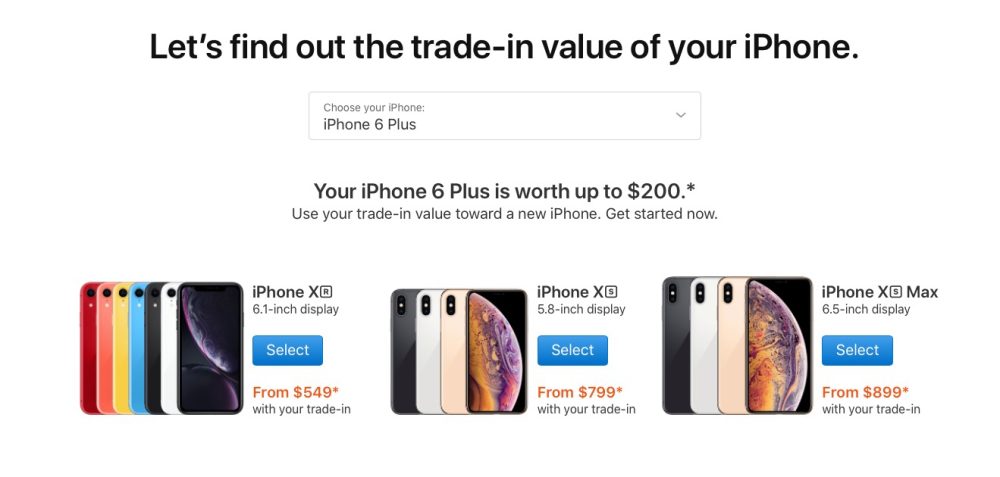
Note that the value of the trade-in amounts has not changed since the promotion begun.
When a user clicks the Buy Now link on the Apple.com homepage, below the XS and the XR descriptions, they are sent to this new comparison tool page rather than the generic iPhone section of the Apple Store. This change went into effect over the weekend.
The higher trade-in offers are only available to customers in the United States. Previous reports indicate that Apple reassigned some marketing staff to concentrate on maximising iPhone XR and iPhone XS sales in the quarter, a potential indicator that organic customer reception to Apple’s 2018 iPhones has not been very enthusiastic.
These discounting tactics are certainly a new step for the company that otherwise tries to maintain a premium brand image.
Source: 9to5mac










