
NEWS

Apple Lays Out 2018's Holiday Downtime for App Store Submissions

11/28/2018

2466

Apple on Tuesday announced its traditional holiday downtime for new App Store submissions, this year scheduled for between Dec. 23 and 27 Pacific time.
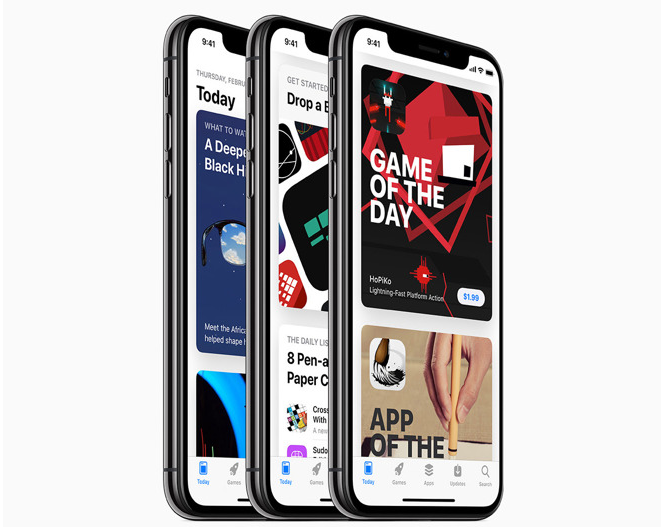

Apple Lays Out 2018's Holiday Downtime for App Store Submissions


Developers will be unable to submit new apps or even updates to existing ones during that period, Apple said. Releases will still be able to go live, but will have to have been submitted, approved, and scheduled in advance.


All other App Store backend tools will remain accessible.


Christmas is typically the one consistent time of the year when Apple shuts down App Store submissions, giving its reviewers a break. Otherwise the team is often working to approve apps within a couple of days, or less than that in the case of critical fixes.


Ironically the holiday is also when App Store downloads tend to peak, as people receive new iPhones and iPads as gifts and immediately rush the store to get common apps like Facebook, YouTube, and Google Maps.


Source: appleinsider

Windows
Mac OS
iOS
Linux
3uTools
Win 64-bit For this device
V9.01 2025-12-27
Download
Win 32-bit For this device
V9.01 2025-12-27
Download
3uTools
Intel Chip How to Identify Chip Type
V9.01 2025-12-31
Download
Apple Silicon
V9.01 2025-12-31
Download
How to Identify Chip Type
1.  Click the Apple icon in the top-left corner of the screen and select About This Mac.
2.  Check the Processor or Chip field to determine if it is "Intel" or "Apple".
Please use the 3uTools PC client to install the iOS client:
1、 Install either the Windows or Mac version of 3uTools on your computer
2、 Open the PC client and connect your device to the computer via USB cable
3、 After the connection is successful, wait for the computer to automatically install the mobile app for the device, or locate “Install Mobile App” on the computer and manually click to install.
3uTools
deb file
V3.01 2025-11-20
Download
rpm file
V3.01 2025-11-20
Download
Windows
Windows
iOS
iOS
Android
Android
TV
TV
3uAirPlayer
Win 64-bit For this device
V6.0.2 2025-11-19
Download
Win 32-bit For this device
V6.0.2 2025-11-19
Download
iOS Device Mirroring (No App Required)
1、 Install 3uAirPlayer on the Windows PC
2、 Open Control Center and select Screen Mirroring
3、 From the list, choose your PC to start mirroring
4、 Or connect your iOS device to the PC via USB to begin mirroring
Scan to get "3uAirPlayer" App
3uAirPlayer TV V1.0.18
2025-11-28
TV System Requirements: Android 7.0 or later
Download the TV installation package, copy it to a USB drive, insert it into your TV or set-top box, then select the file from the home screen to install.




