
NEWS

DriveSavers Launches Passcode-beating iPhone Cracking Service for the Public

11/28/2018

3095

Data recovery firm DataSavers is now selling a "passcode lockout recovery" service claimed to be the first for the general public able to crack any iPhone.
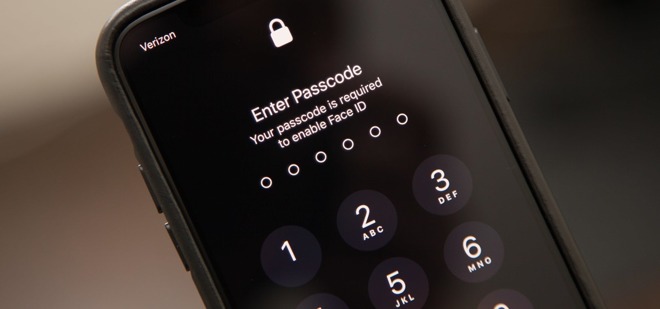

DriveSavers Launches Passcode-beating iPhone Cracking Service for the Public


The company's technology purportedly ensures a "100 percent success rate" with iPhones, regardless of passcode length, according to marketing. DataSavers doesn't say what exact means it's using, or offer an upfront price. Forensic-level recovery is typically expensive however — Grayshift for example charges a minimum of $15,000 to law enforcement agencies.


To ensure people such as thieves don't abuse its service, DataServers is promising to validate legal rights to data during "all phases" of a recovery attempt.


Apple and forensics firms have been engaged in an unspoken race in which the latter exploit security vulnerabilities until Apple can fix them. Once a passcode is enabled iPhones are protected with full-disk encryption, and trying to brute-force a passcode risks losing data completely if someone has chosen to enable a self-wipe after 10 failed attempts.


In October, a report revealed that Grayshift's GrayKey had been disrupted by iOS 12, limiting it to a "partial" extraction of unencrypted files and metadata.


For some law enforcement agencies it may be more practical to force a suspect to unlock a device via Face ID or Touch ID. U.S. police can't legally demand that someone turn over their passcode, but they can use biometrics. In some cases this approach has even been used with the dead.


Source: appleinsider

Windows
Mac OS
iOS
Linux
3uTools
Win 64-bit For this device
V9.01 2025-12-27
Download
Win 32-bit For this device
V9.01 2025-12-27
Download
3uTools
Intel Chip How to Identify Chip Type
V9.01 2025-12-31
Download
Apple Silicon
V9.01 2025-12-31
Download
How to Identify Chip Type
1.  Click the Apple icon in the top-left corner of the screen and select About This Mac.
2.  Check the Processor or Chip field to determine if it is "Intel" or "Apple".
Please use the 3uTools PC client to install the iOS client:
1、 Install either the Windows or Mac version of 3uTools on your computer
2、 Open the PC client and connect your device to the computer via USB cable
3、 After the connection is successful, wait for the computer to automatically install the mobile app for the device, or locate “Install Mobile App” on the computer and manually click to install.
3uTools
deb file
V3.01 2025-11-20
Download
rpm file
V3.01 2025-11-20
Download
Windows
Windows
iOS
iOS
Android
Android
TV
TV
3uAirPlayer
Win 64-bit For this device
V6.0.2 2025-11-19
Download
Win 32-bit For this device
V6.0.2 2025-11-19
Download
iOS Device Mirroring (No App Required)
1、 Install 3uAirPlayer on the Windows PC
2、 Open Control Center and select Screen Mirroring
3、 From the list, choose your PC to start mirroring
4、 Or connect your iOS device to the PC via USB to begin mirroring
Scan to get "3uAirPlayer" App
3uAirPlayer TV V1.0.18
2025-11-28
TV System Requirements: Android 7.0 or later
Download the TV installation package, copy it to a USB drive, insert it into your TV or set-top box, then select the file from the home screen to install.




