NEWS

SIM-free iPhone XR Launches in the US Earlier than Usual

11/16/2018

3479

SIM-free iPhone XR Launches in the US Earlier than Usual


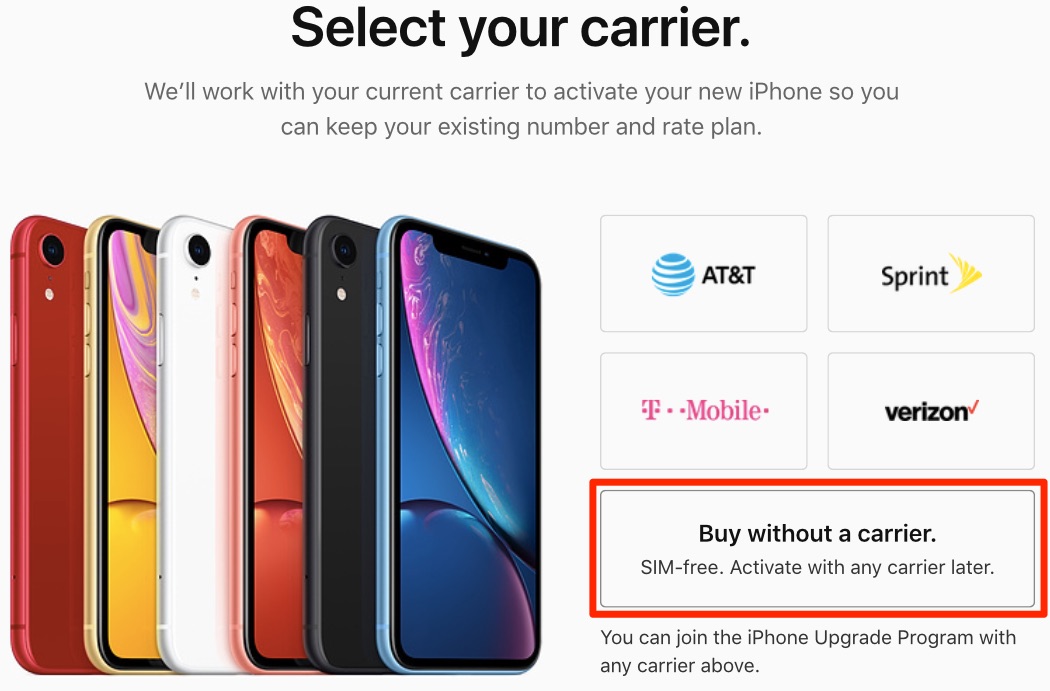
As of today, customers in the United States can get a brand spanking new iPhone XR, fully unlocked and unassociated with any carrier, by purchasing a full-price SIM-free variant that’s now available from Apple retail and online stores, as well as from wireless carriers.


SIM-free iPhones are paid upfront and don’t require a wireless service contract.


In many parts of the world, iPhones are sold both subsidized or SIM-free, with SIM-free variants usually available from day one. In the US, SIM-free models are normally introduced a few months into a new iPhone launch. The odd exceptions: the new iPhone XS and iPhone XS Max which Apple made available SIM-free in the US from launch day.


SIM-free iPhone XR works with AT&T, Verizon, T-Mobile, Sprint and other carriers. If you’re buying your SIM-free XR from Apple, you can select the in-store pickup option. The phone ships without a SIM card preinstalled, allowing it to be activated on any carrier’s network.


Purchasing a SIM-free iPhone XR online requires entering account details for your carrier unless you have chosen a T-Mobile edition. On the downside, however, T-Mobile’s iPhone XR is GSM-only so keep that in mind if you think you might switch to Verizon or Sprint down the road.


The colorful handset comes in five distinct finishes: White, Black, Blue, Yellow, Coral and (PRODUCT)RED. iPhone XR starts at $749 for the 64GB edition. The 12GB and 256GB versions are priced at $799 and $899, respectively.


Source: idb

Windows
Mac OS
iOS
Linux
3uTools
Win 64-bit For this device
V9.01 2025-12-27
Download
Win 32-bit For this device
V9.01 2025-12-27
Download
3uTools
Intel Chip How to Identify Chip Type
V9.0 2025-12-02
Download
Apple Silicon
V9.0 2025-12-02
Download
How to Identify Chip Type
1.  Click the Apple icon in the top-left corner of the screen and select About This Mac.
2.  Check the Processor or Chip field to determine if it is "Intel" or "Apple".
Please use the 3uTools PC client to install the iOS client:
1、 Install either the Windows or Mac version of 3uTools on your computer
2、 Open the PC client and connect your device to the computer via USB cable
3、 After the connection is successful, wait for the computer to automatically install the mobile app for the device, or locate “Install Mobile App” on the computer and manually click to install.
3uTools
deb file
V3.01 2025-11-20
Download
rpm file
V3.01 2025-11-20
Download
Windows
Windows
iOS
iOS
Android
Android
TV
TV
3uAirPlayer
Win 64-bit For this device
V6.0.2 2025-11-19
Download
Win 32-bit For this device
V6.0.2 2025-11-19
Download
iOS Device Mirroring (No App Required)
1、 Install 3uAirPlayer on the Windows PC
2、 Open Control Center and select Screen Mirroring
3、 From the list, choose your PC to start mirroring
4、 Or connect your iOS device to the PC via USB to begin mirroring
Scan to get "3uAirPlayer" App
3uAirPlayer TV V1.0.18
2025-11-28
TV System Requirements: Android 7.0 or later
Download the TV installation package, copy it to a USB drive, insert it into your TV or set-top box, then select the file from the home screen to install.