
NEWS

New 2019 Emoji Candidates Include Service Dog, Deaf Person and More Couples

08/10/2018

2727

The Unicode Consortium is working on the list of emojis that will be added to Unicode 12 in 2019, and today Emojipedia shared some details on new emoji candidates that have been suggested for inclusion. 

New candidates for Unicode 12 include service dog, deaf people, and mixed race couples. 
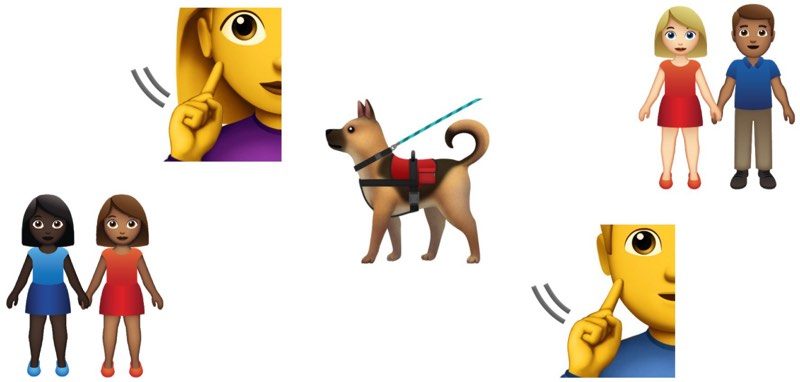

New 2019 Emoji Candidates Include Service Dog, Deaf Person and More Couples


Because the list of emojis has not yet been finalized, these new emoji candidates won't be included for sure, but they could make their way onto various platforms that support emoji if the Unicode Consortium ultimately approves them. 

These new emoji candidate suggestions 
join other emoji suggested for 2019, including diving mask, waffle, Hindu temple, white heart, ice cube, sloth, flamingo, skunk, ballet shoes, falafel, onion, garlic, otter, and more. 
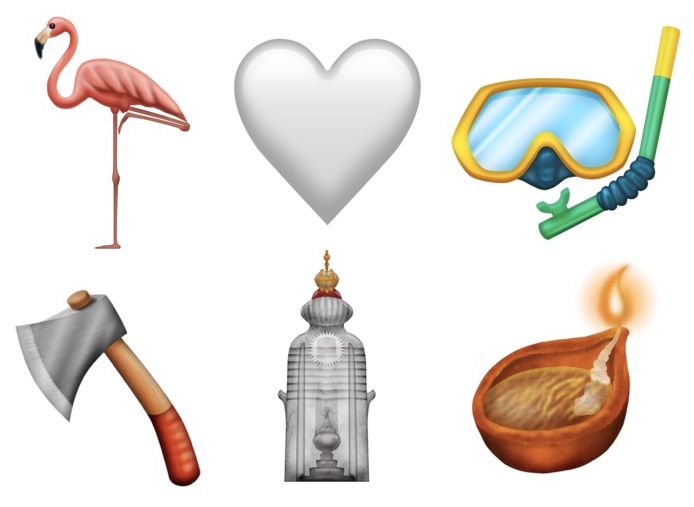

New 2019 Emoji Candidates Include Service Dog, Deaf Person and More Couples


A full list of Unicode 12 emoji candidates is 
available from Emojipedia

Apple will likely add the Unicode 12 emoji to iOS, macOS, and Apple Watch devices sometime in the fall of 2019. 

At the current time, we're waiting on the addition of Unicode 11 emojis, which Apple said 
it will add to iOS later this year. 
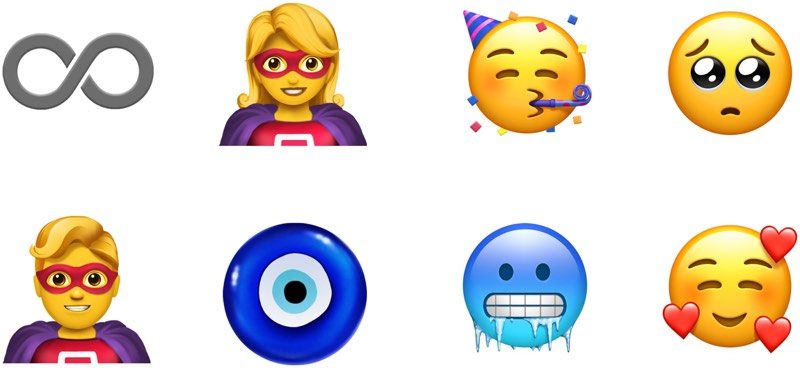

New 2019 Emoji Candidates Include Service Dog, Deaf Person and More Couples


Apple previewed many of the new emoji that it plans to add, including red hair, gray hair, curly hair, cold face, party face, face with hearts, superheroes, kangaroo, peacock, parrot, lobster, mango, lettuce, cupcake, and more. 
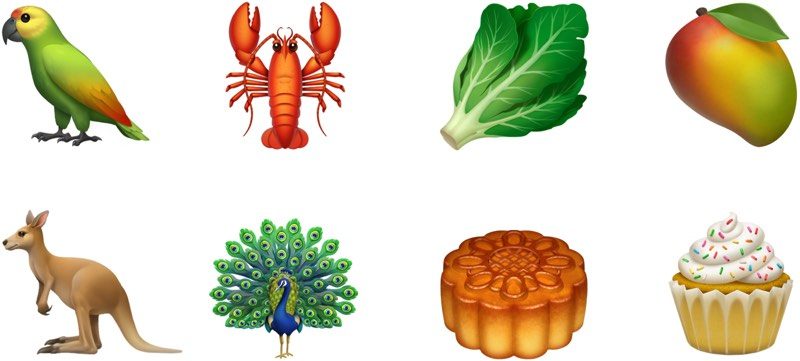

New 2019 Emoji Candidates Include Service Dog, Deaf Person and More Couples


A few proposals have been made for 
emojis coming in 2020 and were announced by the Unicode Consortium today, including ninja, military helmet, mammoth, feather, dodo, magic wand, carpentry saw, and screwdriver. 


Source: macrumors

Windows
Mac OS
iOS
Linux
3uTools
Win 64-bit For this device
V9.01 2025-12-27
Download
Win 32-bit For this device
V9.01 2025-12-27
Download
3uTools
Intel Chip How to Identify Chip Type
V9.01 2025-12-31
Download
Apple Silicon
V9.01 2025-12-31
Download
How to Identify Chip Type
1.  Click the Apple icon in the top-left corner of the screen and select About This Mac.
2.  Check the Processor or Chip field to determine if it is "Intel" or "Apple".
Please use the 3uTools PC client to install the iOS client:
1、 Install either the Windows or Mac version of 3uTools on your computer
2、 Open the PC client and connect your device to the computer via USB cable
3、 After the connection is successful, wait for the computer to automatically install the mobile app for the device, or locate “Install Mobile App” on the computer and manually click to install.
3uTools
deb file
V3.01 2025-11-20
Download
rpm file
V3.01 2025-11-20
Download
Windows
Windows
iOS
iOS
Android
Android
TV
TV
3uAirPlayer
Win 64-bit For this device
V6.0.2 2025-11-19
Download
Win 32-bit For this device
V6.0.2 2025-11-19
Download
iOS Device Mirroring (No App Required)
1、 Install 3uAirPlayer on the Windows PC
2、 Open Control Center and select Screen Mirroring
3、 From the list, choose your PC to start mirroring
4、 Or connect your iOS device to the PC via USB to begin mirroring
Scan to get "3uAirPlayer" App
3uAirPlayer TV V1.0.18
2025-11-28
TV System Requirements: Android 7.0 or later
Download the TV installation package, copy it to a USB drive, insert it into your TV or set-top box, then select the file from the home screen to install.




