NEWS

Apple's Mini 18W USB-C Charger May be Real After All

07/27/2018

2489

Apple's Mini 18W USB-C Charger May be Real After All


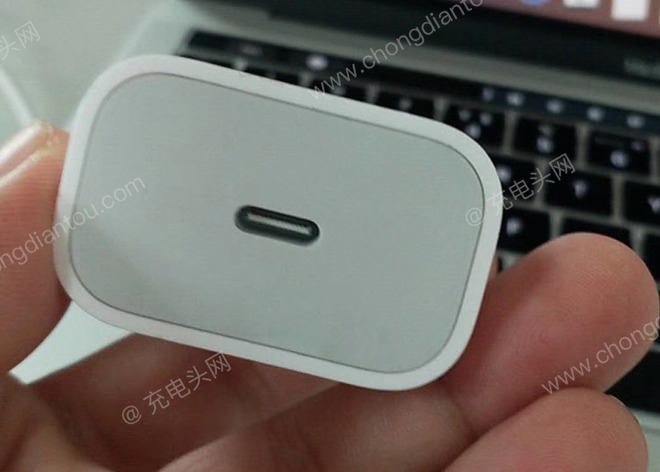
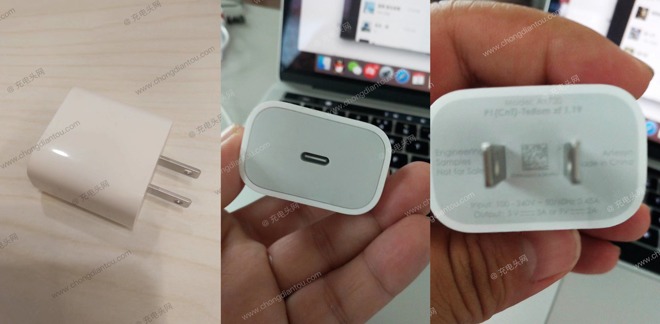
Photographs published by Chongdiantou and spotted by Macotakara show the charging plug from three different angles. Along with showing the side and plug prongs in one shot, a second simply shows the USB-C connection at the top of the device, where the USB-C to Lightning connector would be inserted. 

The third photograph is blurry but readable, showing it to be an engineering sample. At the bottom the output data claims it can provide up to 5 Volts of power at 3 Amps, equating to 15 Watts delivered to the iPhone, or for 9V to be delivered at 2A, namely 18W. 
Apple's Mini 18W USB-C Charger May be Real After All


While this is one of the first credible photographs of the rumored charger, there is no guarantee that it is genuine. A May report included alleged renderings of the European version of the iPhone charger, again offering 18W of power. 

Currently, iPhones ship with the same 5W USB-A charger, despite the iPhone 8, iPhone 8 Plus, and iPhone X all supporting 
Fast Charging, using a USB-C to Lightning cable and a charger with a higher wattage. Fast Charging allows an iPhone to charge to 50 percent of capacity within 30 minutes, which is currently possible using the USB-C wall charger supplied with the MacBook or MacBook Pro, albeit at a relatively high cost. 

If Apple does include a USB-C charger with future iPhones, it could also allow third-party accessory producers to create more cables. Apple currently does not allow other vendors to create USB-C to Lightning cables under the MFi certification program, but this stands to change if the rumored charger is included in the iPhone package.


Source: appleinsider

Windows
Mac OS
iOS
Linux
3uTools
Win 64-bit For this device
V9.01 2025-12-27
Download
Win 32-bit For this device
V9.01 2025-12-27
Download
3uTools
Intel Chip How to Identify Chip Type
V9.01 2025-12-31
Download
Apple Silicon
V9.01 2025-12-31
Download
How to Identify Chip Type
1.  Click the Apple icon in the top-left corner of the screen and select About This Mac.
2.  Check the Processor or Chip field to determine if it is "Intel" or "Apple".
Please use the 3uTools PC client to install the iOS client:
1、 Install either the Windows or Mac version of 3uTools on your computer
2、 Open the PC client and connect your device to the computer via USB cable
3、 After the connection is successful, wait for the computer to automatically install the mobile app for the device, or locate “Install Mobile App” on the computer and manually click to install.
3uTools
deb file
V3.01 2025-11-20
Download
rpm file
V3.01 2025-11-20
Download
Windows
Windows
iOS
iOS
Android
Android
TV
TV
3uAirPlayer
Win 64-bit For this device
V6.0.2 2025-11-19
Download
Win 32-bit For this device
V6.0.2 2025-11-19
Download
iOS Device Mirroring (No App Required)
1、 Install 3uAirPlayer on the Windows PC
2、 Open Control Center and select Screen Mirroring
3、 From the list, choose your PC to start mirroring
4、 Or connect your iOS device to the PC via USB to begin mirroring
Scan to get "3uAirPlayer" App
3uAirPlayer TV V1.0.18
2025-11-28
TV System Requirements: Android 7.0 or later
Download the TV installation package, copy it to a USB drive, insert it into your TV or set-top box, then select the file from the home screen to install.