 NEWS
NEWS
Apple to Unveil High-End AirPods, Over-Ear Headphones For 2019
 06/26/2018
 2768
2768
Apple is stepping up its game when it comes to its audio devices, and has plans to launch higher-end AirPods, a new HomePod, and studio-quality over-ear headphones in the near future, according to a recent Bloomberg report. Rumors around new and improved music devices and smart speakers have been swirling for months, and it would appear that Apple is now making moves to bring these highly anticipated, upgraded devices to life. The new AirPods, HomePod, and headphones could be released as early as 2019, though no specific timeline has yet been reported.
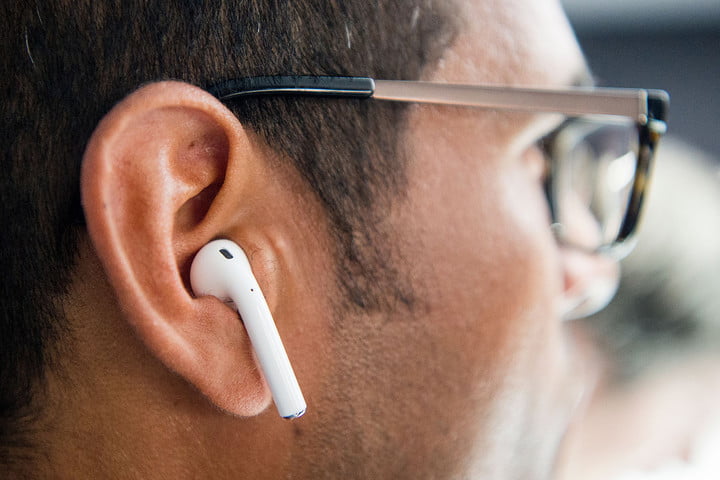
According to Bloomberg’s sources, the Cupertino-based tech giant is looking to produce AirPods that have noise-canceling properties, as well as water resistance. Apple also wants to ensure that these new AirPods can work even when relatively far away from their companion smartphone or tablet. And while you won’t be able to jump into a pool wearing the AirPods, Apple hopes that you’ll be able to go on a long run (even in the rain) without having to worry about sweat or precipitation damaging the earbuds.
There might also be the possibility of adding biometric sensors to upcoming AirPods, including a heart rate monitor, to further strengthen Apple’s health-related products. Of course, with these new features, it’s likely that the AirPods will cost more than they do now ($159).
As for the over-ear headphones, Apple is hoping to create a high-end product that can compete with offerings from companies such as Bose and Sennheiser. Rather than utilizing Beats branding, these new headphones will feature the Apple name, and should be released in 2019. Initially, Apple was targeting a 2018 launch date, but development setbacks have delayed the timeline. Apple is apparently thinking of working with audio system manufacturer Tymphany as a production partner for the headphones, though the deal has not yet been finalized and production has not yet begun.
It’s unclear exactly what the new HomePod will look like, but it’s likely the Apple product that needs the most work. While critics noted that the HomePod served its purpose well as a speaker, its functionality is rather limited when it comes to the “smart” aspect, and its high price point and lack of third-party integrations made it somewhat less appealing than other smart speakers on the market. It remains unclear what production plans for this device will be, but we will be sure to update you as more information is made available.
Source: digitaltrends










