 NEWS
NEWS
You Can Now Sync your Apple Watch with Cardio Gym Equipment — at One US Location
 12/13/2017
 3289
3289
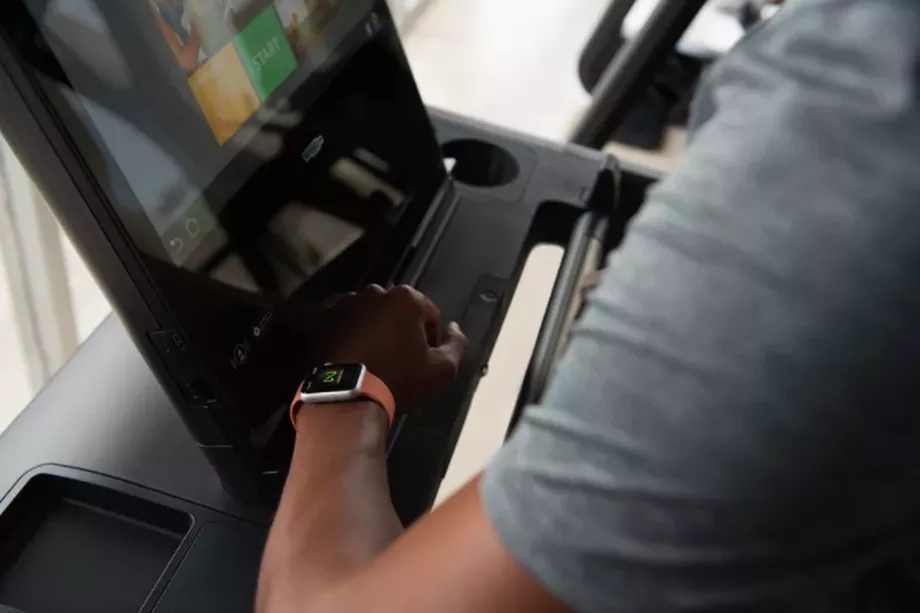
Apple’s GymKit is here, so you can wirelessly sync fitness data between your watch and cardio machines at the gym — if you work out at Equinox or Life Time Athletic.
Apple first announced GymKit back in June. GymKit-enabled machines are available now at Life Time Athletic at Sky in New York City. They will also be available at the 14 new clubs Life Time will open in 2018. Similarly, starting next year, new Equinox clubs will have GymKit-enabled machines too.
I went to a demo Apple held featuring treadmills by LifeFitness. (Its other partners include Cybex, TechnoGym, Matrix, Star Trac, StairMaster, and Schwinn, which together make up about 80 percent of the gym fitness equipment market.) The treadmill’s screen has a tiny Apple Watch logo in the bottom right corner; if you press it, a small explanation of how GymKit works will pop up, but otherwise you don’t need to bother with it for the syncing to work. Tap your AppleWatch (you need watchOS 4) to the NFC strip, and it connects so you have all the information on-screen.
Equipment like treadmills are very accurate at estimating certain types of information like distance, rate, and incline, but are less precise with information like calories burned or heart rate because no one wants to take the time to input their height and weight for a 30-minute session. With GymKit, the treadmill is still responsible for keeping track of pace, incline, and distance, but the watch is responsible for calories burned and the heart rate data. On a stair stepper (not available at the demo), floors climbed would also be included. All the information is then shown on the equipment’s screen.
The watch worked as promised during the short demo. There’s no need to tap right at the beginning. As long as you tap sometime during the workout, the watch will sync so all the information is recent. Afterward, the data from the workout will stay with the watch, but will be erased from the machine.
Right now, GymKit syncs data from the four types of cardio equipment most commonly made by Apple’s partners: treadmills, stair steppers, ellipticals, and indoor bikes. Further machines, such as rowing machines, may be coming. However, you don’t need all new equipment to have GymKit. It can work with a new software update.
Syncing is an effortless process, and it is nice to have more detailed information for a workout. GymKit is a helpful addition; it’ll just be a while before most people get to try it.
Source: the verge










