 NEWS
NEWS
Microsoft Edge for iOS Now Available on App Store
 12/04/2017
 3816
3816
A month after initially making a beta version of Edge browser available for iOS, Microsoft has released the stable version of the browser on the App Store.

The browser is primarily aimed at offering a unified browsing experience for Windows 10 users as it offers the ability to sync your data and content between devices. This means your browsing history and data will always be synced between your iPhone and your Windows 10 PC.
All other features found in the Windows version of the browser like Favorites, Reading List, New Tab Page, Reading View across PC and phone are also present here.
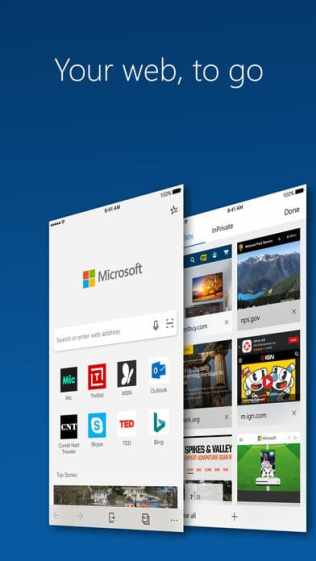
Continue on PC: Go anywhere and pick up where you left off by seamlessly moving content between your mobile device and PC (requires Windows 10 Fall Creator’s Update).
Data Sync: Your favorites, passwords, and reading list are synced across your devices, so no matter the device, your browser is always personalized to you.
Hub View: With your favorites, reading list, history and books all in one place, finding and managing your content is made simple.
QR Code Reader: Easily read QR codes at the touch of a button. Microsoft Edge will pull up the reading and information right onto your screen.
Voice Search: You can now use your voice to search the web. Ask a question or speak a prompt to use the web in more natural, familiar ways.
InPrivate: When you browse with InPrivate mode, your browsing data (like your history, temporary internet files, and cookies) isn’t saved on your PC once you’re done.
Disappointingly though, Edge for iOS continues to lack the ability to sync open tabs between your PC and iPhone. The feature was also missing from the beta version of the browser. Other notable exclusions include lack of iPad support and Roaming passwords. However, Microsoft is working on them and plans to bring them to the browser eventually.
There is no death of browser apps for iOS with Safari and Chrome being particularly popular among consumers. Thus, Microsoft will really need to add more features to Edge for iOS if it wants the browser to gain some traction among iPhone users.










