 NEWS
NEWS
Jony Ive Discusses the Future of Design at Apple, Steve Jobs and More
 11/30/2017
 2949
2949
As part of the Smithsonian's 2017 American Ingenuity Awards, the organization on Wednesday conducted an interview with Apple CDO Jony Ive, who discussed the beginnings of his career, working at the world's most valuable tech company and creating products used by millions of people around the world.
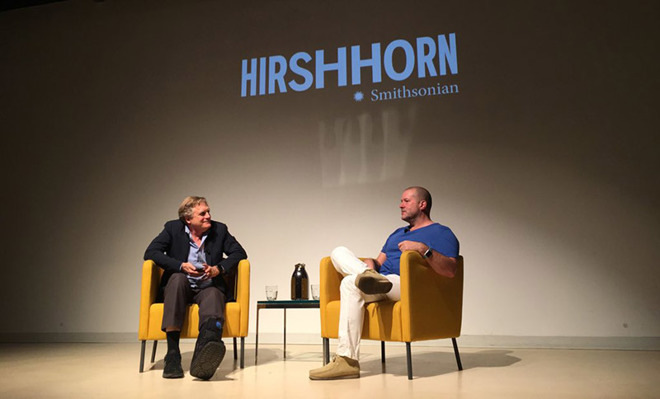
Rick Tetzeli (left) interviews Jony Ive for Smithsonian Magazine. | Source: Hirshhorn Museum and Sculpture Garden via Twitter
Ive appeared on stage at Washington, D.C.'s Hirshhorn Museum with Fast Company's Rick Tetzeli, who moderated the wide-ranging hour-long talk covering topics including iPhone and Apple Watch to the legacy of Steve Jobs. Tetzeli recently penned a profile on Ive, a 2017 American Ingenuity Awards honoree, that went live on Smithsonian Magazine's website today.
A number of attendees managed to record audio of the interview, including Alexander Fusté, who posted a full-length version of the chat to SoundCloud.
As has been discussed in previous interviews, Ive said it was during the formative stages of his childhood that he discovered a passion for design.
As for Apple's future, Ive said Apple Park will play a big role in pushing new ideas forward. The design team's studio will reside on the fourth floor of the central ring structure and, like other areas of the campus, boasts a layout that fosters collaboration. Importantly, and for the first time, Apple's entire design team, from industrial designers to font developers, will share a single space.
inally, on the topic of late Apple co-founder Steve Jobs, Ive said the tech guru's impact on the industry will continue as long as the company exists. Though Apple is turning out products developed without Jobs' watchful eye, the tenets he infused into the company act as a North Star.
"I cannot image an era where we say, 'Well this is no longer in Steve's influence, his beliefs, his incredible contribution, I think, to culture and to the world via Apple.' I don't think there will be a time when you can say that's no longer the case," Ive said. "If there ever were ever that time, then it's not Apple and we should change the name."
Source: appleinsider










