 NEWS
NEWS
Foxconn Stamps Out illegal Overtime for iPhone X
 11/24/2017
 3058
3058
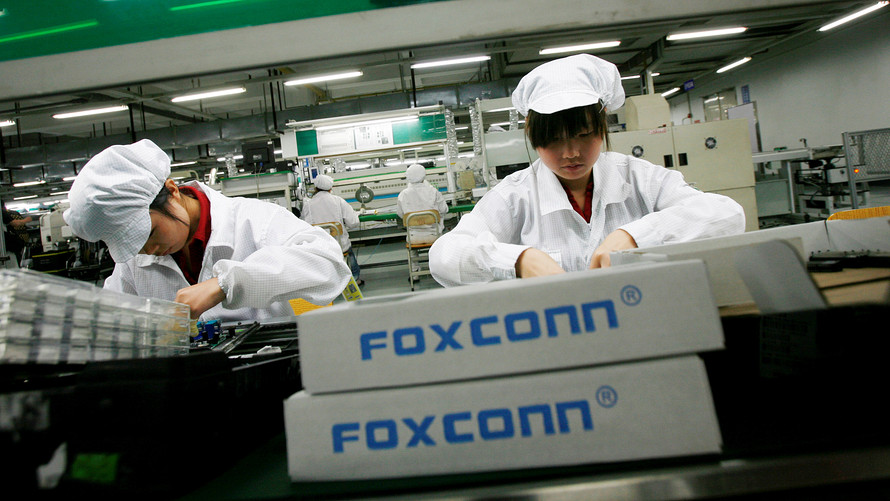
Foxconn has wasted little time in responding to reports that high school student interns worked illegal overtime building the iPhone X.
In a statement made to the U.K.’s BBC broadcasting service, a representative for the Foxconn Technology Group said that it has taken, “immediate action to ensure that no interns are carrying out any overtime work.”
In addition, the Apple supplier pointed out that “interns represent a very small percentage” of its workforce in China, and that the breach of labor laws is inconsistent with its own policies.
Foxconn working conditions
Earlier this week, a report in the Financial Times revealed that six high school students — aged between 17 and 19 — worked 11-hour days assembling the iPhone X at one of Foxconn’s factories in Zhengzhou, China.
Apple carried out its own investigation, and confirmed that there had been “instances of student interns working overtime at a supplier facility in China.” At busy times of year, Foxconn can reportedly employ up to 300,000 employees building a maximum of 20,000 iPhones per day.
Following reports about supplier conditions, Apple has taken steps to clamp down on illegal or questionable supply chain activity in recent years, such as the employment of underage workers.
For the past few years, Apple has achieved around 95 percent compliance with enforcing a maximum 60-hour workweek for people in its supply chain, and has taken steps to reduce the hiring of underage workers.
Although various manufacturing issues with the iPhone X recently caused Foxconn to report its biggest decline in profits in nearly a decade, the company is still heavily reliant on Apple orders. With a plan to muscle in on newer Apple products, such as the HomePod smart speaker, it’s no surprise the company would want to do whatever it can to not upset Apple by being responsible for any potential bad press.
Source: cult of mac










