 NEWS
NEWS
Apple Has Been Using Teen Labor to Assemble the iPhone X
 11/22/2017
 2841
2841
Apple suppliers in China have been tapping high schoolers to staff their factories in a scramble to meet demand for the iPhone X.
Foxconn has brought on 3,000 high-school students to assemble the red-hot smartphone as it works to make up ground following severe production delays.
The students, who range in age from 17 to 19, have reportedly been required to work at the plants for at least three months in order to complete what’s being billed as a “work experience” graduation requirement.
Nevertheless, the teens, enrolled at the nearby Zhengzhou Urban Rail Transit School, regularly toil away 11-hour days, which violates Chinese labor laws for student interns.
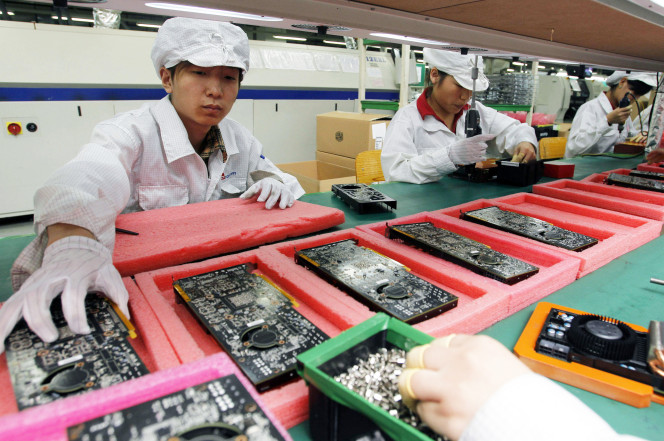
“We are being forced by our school to work here,” one student, who was made to assemble 1,200 iPhone X cameras a day, told the FT. “This work has nothing to do with our studies.”
Both Apple and Foxconn acknowledged that they were aware of the students working overtime, and said they were investigating the matter. Apple, however, insisted that “the students worked voluntarily, were compensated and provided benefits.”
Foxconn’s plant in Zhengzhou normally employs around 100,000 employees, but its workforce can balloon to 300,000 from August until December each year as production ramps up on Apple’s latest smartphone.
The students are directed to Foxconn by the local government.
“[We] do everything in [our] power to make sure Foxconn thrives here,” a local official told the FT. “It’s not just about tax revenues — it’s about industrial upgrading, building an export industry, having a foreign partnership [with Apple].”
The iPhone X was plagued with rumors of production delays in the months leading up to its launch, and has been hard to come by in the month since.
The smartphone, which features the first-ever OLED display in an iPhone as well as facial recognition technology, is currently back-ordered by 2 to 3 weeks on Apple’s website.
Source: nypost










