 NEWS
NEWS
Reportedly Apple’s Lack of Vetting with Disgraced Health Blogger, Belle Gibson
 11/21/2017
 2960
2960
The now disgraced health blogger Belle Gibson was all set to strike a working partnership with Apple, just in time for the launch of the first-gen Apple Watch, a new report reveals. The company was heavily involved in marketing Gibson’s iPhone app, “The Whole Pantry”. The Cupertino giant was also working with the health blogger’s team on a dedicated Apple Watch app.
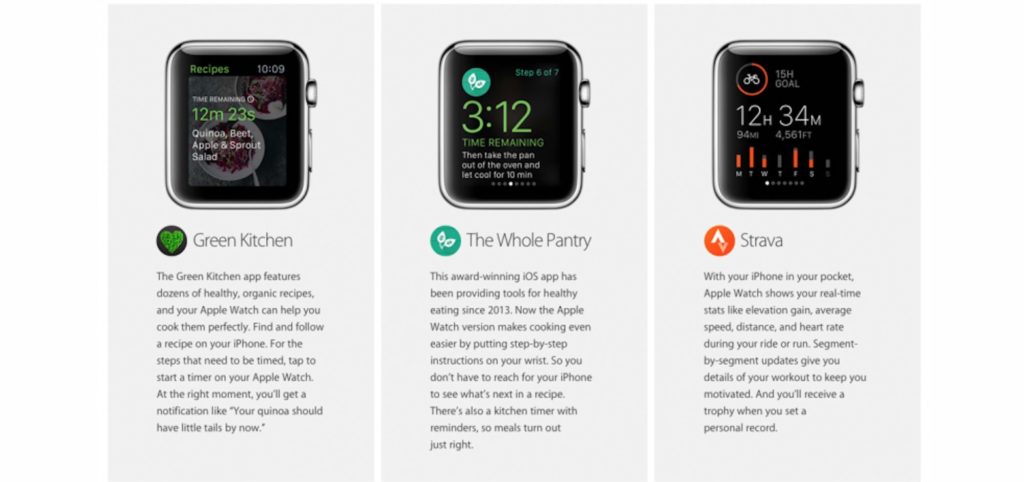
It is said that The Whole Pantry was going to be one of the key apps on the Apple Watch, along with Nike+, and Pinterest. Apple failed to do the research on Gibson leading up to the revelation of her false promises, which included not coming through on charitable promises, deleting old social media posts, and so on. With Apple promoting the iPhone app to the top of the App Store in the health and wellness genre, the company is in no position to avoid embarrassment. Thanks to the popularity of the app, as well as multiple publishing deals, Gibson earned upwards of $500,000 in just 18 months.
What’s even more surprising is that one of Apple’s top PR managers in Australia contacted Gibson on the day the story broke to confirm promotional materials for the app. This suggests that Apple didn’t take the revelations seriously. Naïveté on the company’s part cannot be dismissed either.
Gibson rose to prominence when she talked about her miraculous cancer recovery with only a few lifestyle adjustments. She detailed its effects on the aforementioned app. When the truth came out, she talked about the possibility of medical professionals having misdiagnosed her cancer.
Source: iPhonehacks










