 NEWS
NEWS
Apple’s Redesigned Stores Could Potentially Reduce Load on ‘Geniuses’ Straining
 11/21/2017
 3376
3376
Apple’ physical stores have become a victim of their own success. There is no denying that Apple’s stores are a tourist attraction in their own right, but its the popularity of the iPhones which is putting a strain on Apple stores and their technicians.
The Genius Bar in Apple Stores are struggling to keep up with the hoard of iPhone customers who swarm to Apple Stores for any issue they encounter.
“The customer service model is about ready to pop,” says one Apple “genius” who has worked at the company for seven years and requested anonymity because employees are not permitted to talk to the press. “That is the issue and the employees are feeling it,” the person says.
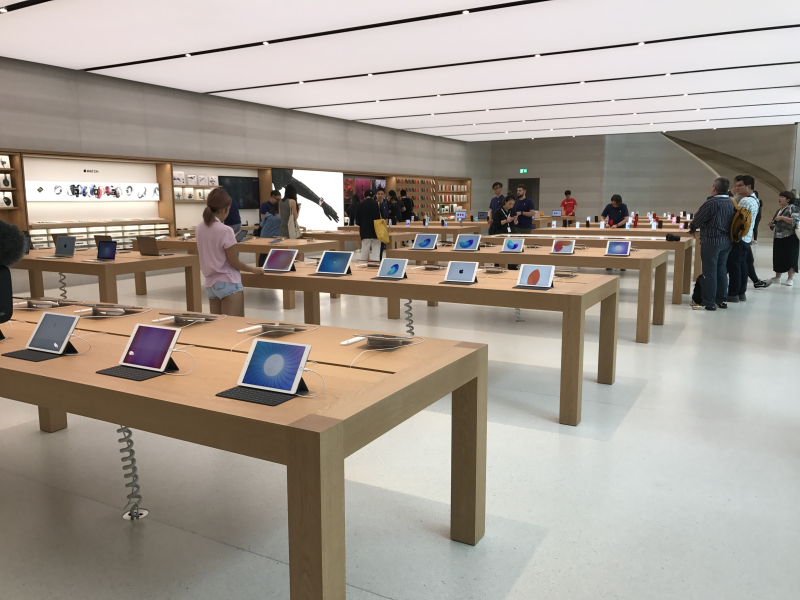
To help alleviate this problem and to reduce long service queues, Apple is revamping its retail stores across the world with a bigger space and more comfortable seating. Despite a bigger footprint, the stores have less retail space and more open areas for customers to walk around freely while they wait for their Genius Bar appointment or for their iPhone to be fixed.
A Genius speaking to Business Insider also revealed that Apple is using a ‘Net Promoter for People’ a.k.a ‘NPP’ to track the performance of its retail employees. Geniuses are under pressure to get customers in and out as fast as possible from the store for any issue they encounter.
To further reduce load and to provide a better experience for customers, Apple has now introduced “Genius Grove.” These technicians quickly end up servicing a customer’s iPhone near a tree-lined part of the store.
Apple also introduced a new kind of technicians titled Technical Expert who repair iPhones for walk-in customers. They are not authorised for repairing Macs but they are quickly able to service walk-in customers who visit the store without any prior appointments.
Despite the additional load on Geniuses though, Apple has actually reduced the perks of their job. While previously new Geniuses were flown to Cupertino for their training, that is no longer the case. Nonetheless, Apple’s retail employees and analysts are hopeful that the new redesign of Apple Stores will help lead to a better experience not just for customers but also for employees.
Source: iPhonehacks










