 NEWS
NEWS
iPhone X Sold Out in 3 Minutes In Korea
 11/20/2017
 2872
2872
iPhone X is one of the hottest phones right now and wherever it launched, it sold out in a few hours. The company started pre-orders of the phone in South Korea yesterday and it sold out in less than 3 minutes.
This is not the first time the iPhone has sold out in a few minutes. When the pre-orders were started back at the end of the October, it sold out in just under an hour. It shows that the iPhone demand is very high and therefore, Apple is expecting an $87 billion revenue in Q1 2018. Analysts say that over 150,000 iPhone devices were available for pre-orders in South Korea and all of them were sold out under 3 minutes. It is also to be noted that South Korea is the home county of Samsung and LG and selling out a device there is quite an achievement. Moreover, the device costs even more in South Korea than it costs in other countries. The 64 GB model costs equivalent to $1,237 while it costs $999 globally. Despite the high price, Apple managed to sell out the iPhone X.
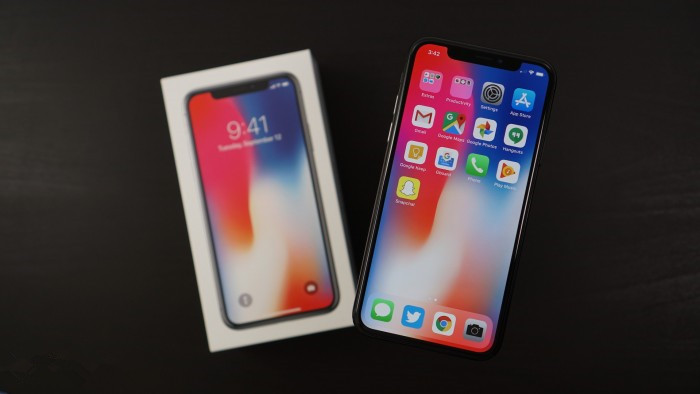
Apple iPhone X is proving to be one of the most selling smartphones ever. Recently, Apple announced its Q4 2017 results which showed a $52.6 billion revenue in a single quarter. Now as the iPhone X is out, Apple is selling it like hot cakes and expecting an $87 billion dollar next quarter and it is going to be the biggest quarter for Apple. All thanks go to the iPhone X.
At the Q4 earnings announcements, Tim Cook also talked about the iPhone 8 and 8 Plus and said that they remained the most popular iPhone devices since their launch. He also said that he is very confident about the iPhone X launch and looking forward to “ a great holiday season”.
Apple is expecting that people will spend $30 billion on iPhone X just in the holiday season. The phone faced a lot of problems and issues but nothing could stop it from becoming one of the most sold phones ever.
Source: techjuice










