 NEWS
NEWS
Apple and GE Announce Deep Partnership
 10/19/2017
 3370
3370
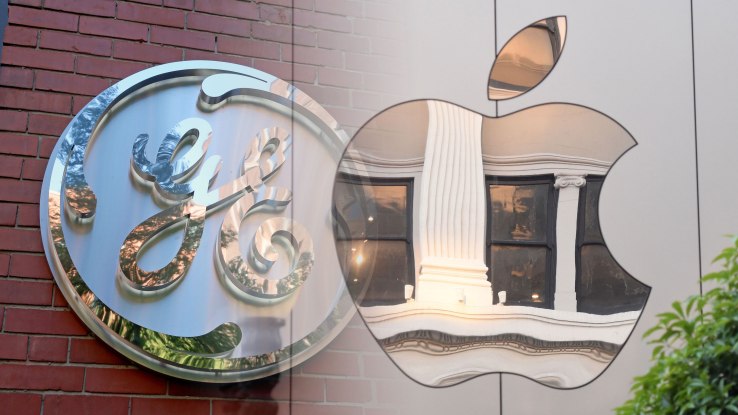
While Apple has had its share of enterprise partners in recent years including IBM, Ciscoand SAP, today’s announcement that it will be working directly with GE feels a bit different with the two companies more closely intertwined than in previous deals.
Apple and GE have committed to build a set of development tools and to develop apps together using Apple’s design sensibility and deep understanding of iOS, but the deal doesn’t stop there. Apple’s sales team will also push the GE Predix platform with its industrial customers when it makes sense, and GE has committed to standardizing on the iPhone and iPad for its 330,000 employees, while offering the Mac as a computer choice. All of this adds up to a level of cooperation we have not seen in Apple’s previous enterprise partnerships.
For starters, the two companies announced an iOS software development kit (SDK) for GE’s Predix platform, which is a set of cloud services designed to help industrial customers track the health of the huge industrial equipment GE sells and services. It can help predict failures before they happen and bring down this expensive equipment such as jet engines, wind turbines and train locomotives.
The key here is that the new SDK gives both external developers and those inside GE the ability to build native apps on top of the Predix platform, allowing them to take advantage of the full Apple ecosystem whether that’s iBeacons, the internal gyroscope sensor inside iPhone or even augmented reality in the latest iPhones.
To prime that software development pump, GE has built a new Applications Performance Management case management app built on top of Predix. Using this tool, customers can see the health of their industrial equipment on an iPad and collaborate more easily, sharing information like last action taken, notes and photos; all designed to provide the data to make decisions in real time.
Susan Prescott, VP for apps, markets and services at Apple was clearly charged by the possibilities that this partnership brings. “For the first time, we’re unlocking incredible new potential for industrial workers by giving them access to native apps that tap the functionality of iOS devices in exciting ways. Now employees can make better informed decisions through the native capabilities of the apps right at their fingertips,” Prescott told TechCrunch.
She offers some examples of how this could work: “A technician can now use the iPhone’s built-in camera to capture a thermal image of a piece of equipment to diagnose an issue or iBeacons and built-in location services can push critical information to a nearby worker’s iPhone or iPad in real time to help quickly flag an issue. We’re essentially closing the feedback loop between the employee in the industrial environment and the analytics and data that’s stored in the cloud,” she said.
Surely GE, an industrial company that was launched by Thomas Edison in 1888 couldn’t be more different than Apple, a computer company launched almost a 100 years later in 1976, but there is more in common than you might imagine.
There are the strong charismatic and demanding founders in Steve Jobs and Edison. There was also an internal mission to change the world with technology. GE has done it with giant industrial equipment like wind turbines and airplane engines, while Apple has gone smaller with phones, computers and watches.
In recent years, GE has been making a hard push to modernize and this partnership is clearly part of that.
The SDK and the APM app will be available for download on October 26th as part of GE’s Mind + Machines conference.
Source: Techcrunch










