
NEWS

Apple Watch Series 3 Expected To Be A ‘Game Changer’ For Apple

10/19/2017

2557

When the Apple Watch was first launched, safe to say that it was not what many had expected, although we guess the rumors and the hype surrounding the device was to blame for creating some unrealistic expectations. However over the years, Apple has made changes and improvements to the hardware and software, with the Series 3 being the latest.


In fact it seems that Apple might have done a great job with the Apple Watch Series 3 because according to GBH Insights analyst Daniel Ives, his latest research note obtained by CNBC revealed that the analyst thinks that the Series 3 is a “game changer” for Apple’s wearables efforts.
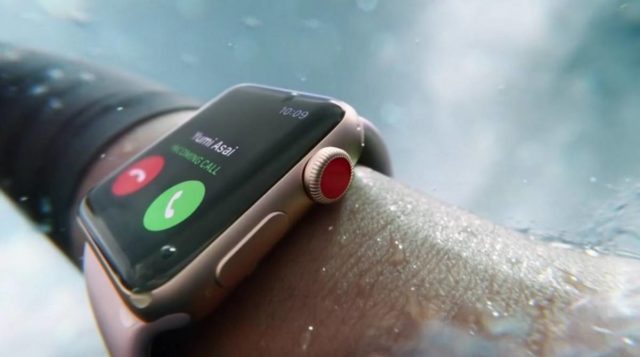

Apple Watch Series 3 Expected To Be A ‘Game Changer’ For Apple


According to Ives, “This data point speaks to our belief that the Apple Watch Series 3 could be a ‘game changer’ release for Cupertino to open up this wearables category for the coming years.” One of the key features of the Series 3 is the option to have LTE as one of the connectivity options, which in turn means that users will have to rely less on their iPhones to use the device.


That being said, Ives still thinks that the Apple Watch represents a small margin of Apple’s revenues. “While Apple Watch sales still represents low to mid-single digits of overall revenue, this wearables category is an important product for Apple to further penetrate its massive consumer installed base and lay the groundwork for new product lines/technologies (e.g. AR glasses) over the coming years to complement its ‘bread and butter’ iPhone franchise growth.”


Source: ubergizmo

Windows
Mac OS
iOS
Linux
3uTools
Win 64-bit For this device
V9.01 2025-12-27
Download
Win 32-bit For this device
V9.01 2025-12-27
Download
3uTools
Intel Chip How to Identify Chip Type
V9.0 2025-12-02
Download
Apple Silicon
V9.0 2025-12-02
Download
How to Identify Chip Type
1.  Click the Apple icon in the top-left corner of the screen and select About This Mac.
2.  Check the Processor or Chip field to determine if it is "Intel" or "Apple".
Please use the 3uTools PC client to install the iOS client:
1、 Install either the Windows or Mac version of 3uTools on your computer
2、 Open the PC client and connect your device to the computer via USB cable
3、 After the connection is successful, wait for the computer to automatically install the mobile app for the device, or locate “Install Mobile App” on the computer and manually click to install.
3uTools
deb file
V3.01 2025-11-20
Download
rpm file
V3.01 2025-11-20
Download
Windows
Windows
iOS
iOS
Android
Android
TV
TV
3uAirPlayer
Win 64-bit For this device
V6.0.2 2025-11-19
Download
Win 32-bit For this device
V6.0.2 2025-11-19
Download
iOS Device Mirroring (No App Required)
1、 Install 3uAirPlayer on the Windows PC
2、 Open Control Center and select Screen Mirroring
3、 From the list, choose your PC to start mirroring
4、 Or connect your iOS device to the PC via USB to begin mirroring
Scan to get "3uAirPlayer" App
3uAirPlayer TV V1.0.18
2025-11-28
TV System Requirements: Android 7.0 or later
Download the TV installation package, copy it to a USB drive, insert it into your TV or set-top box, then select the file from the home screen to install.




