 NEWS
NEWS
John Sculley Explains Why Steve Jobs Was the Best Recruiter He Ever Met
 10/16/2017
 3531
3531
Steve Jobs was never one to hold back. That's exactly what made him so adept at finding talent, according to John Sculley, the former CEO of Apple and Pepsi. "The best recruiter I ever met was Steve Jobs," he told Business Insider. "He really set no limits to the talent he would go after."
Jobs' success was driven by his confidence in Apple's mission, Scully said. "He felt what he was doing was so incredibly important to the world," Sculley said. "Why not get the best?"
Sculley would know. Jobs himself first poached Sculley from his role at Pepsi. Sculley told Business Insider editor-in-chief Alyson Shontell that Jobs won him over with a simple, pointed question: "Do you want to sell sugar water for the rest of your life? Or do you want to come with me and change the world?"
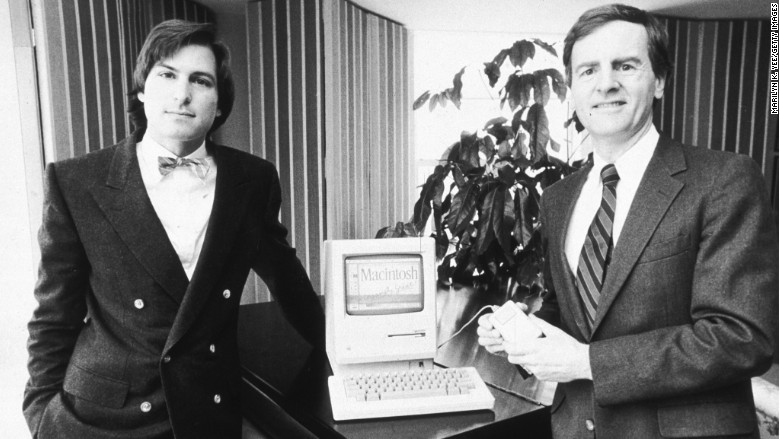
Jobs unabashedly went after the top people in tech and business and never let the occasional failure trip him up, Sculley said. "It didn't always work out, but the reality was that he never compromised on trying to go for the best talent he could," Sculley said.
For Jobs, his ability to passionately convey his belief in Apple — and his lack of qualms over going after prominent talent — was crucial. Scully, who is now chairman of startup RXAdvance, a startup that seeks to blend the fields of high tech and healthcare, said for most people, it's a lesson that's simply learned through time and experience.
"Those are things that only come through experience," Sculley said. "You've got to learn how to recruit a team, you've got to learn how to work with other people, and you've got to learn how to get good stuff done."
Source: businessinsider










