 NEWS
NEWS
Apple Watch Notification Helps Save Man's life: 'It Would have Been Fatal'
 10/16/2017
 3733
3733
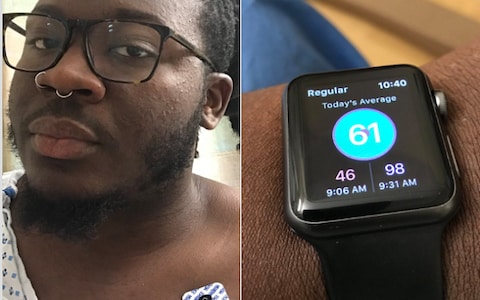
An Apple Watch notification helped save a man’s life after it alerted him to needing immediate medical attention for a blood clot in his lungs.
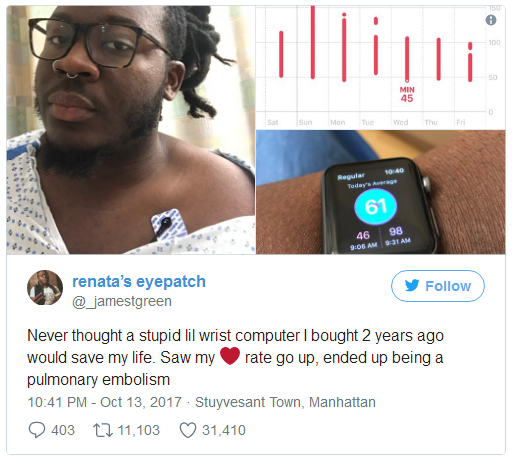
James Green, a podcast and reporter, from Brooklyn, New York, tweeted: “Never thought a stupid lil wrist computer I bought two years ago would save my life.
“Saw my heart rate go up, ended up being a pulmonary embolism.”
The 28-year-old says he owes his life to the HeartWatch app, which monitors a person’s heart rate constantly throughout the day and notifies them when it goes above or below a certain threshold.
He told The Telegraph his doctor was glad he called, telling him that if he had waited any longer “it would have been fatal”.
Mr Green describes himself as “a serial health tracker”, explaining: “I wanted data on my heart since I had a previous pulmonary embolism.
“And my watch is too old to have the new software update that enabled the heart rate alerts.”
Recalling the moment he realised something was wrong, he said: “I got an alert from Heart Watch that my heart rate was continually above my resting heart rate of 54, even when I was just sitting at my desk.
“That along with other symptoms I was having was enough data I needed to act on it, and realise it wasn’t a panic attack (since I have severe generalised anxiety), that it was something more.”
A CT scan highlighted the clots and he was then rushed to hospital, he remembers “they did a couple of ultrasounds to monitor and put me on a blood thinner drip to reverse the clot damage”.
He credits the app with saving his life: “It was the data I needed to prove this wasn’t just a panic attack. It helped me get the ball rolling.”
David Walsh, the app’s creator, said it is “truly humbling to have played a part”, adding the outcome was “absolutely wonderful”.
He decided to create the app in 2015 after his dad died aged 56 due to a sudden heart problem.
“I wrote it as I noticed some odd readings on my Apple Watch and found it very difficult to dig into the data on my iPhone,” he told The Telegraph.
“As the Apple Watch has evolved, so has the app. What it can do is check your non active heart rate constantly throughout the day and if it falls above or below a specific threshold then it will give you an alert.”
The 50-year-old adds that some doctors are even now recommending the app and the Apple Watch to their patients.
“Over the last few years, the stories I hear about how the app and the Apple Watch have changed people's lives and sometimes saved their lives are truly heartwarming,” he says.
“What's also interesting is that I also added an ability to let people share their data with their doctors and this has been incredibly popular.”
Source: Telegraph










